Create a Professional Free Cash Receipt Form in Minutes
Learn how to create, customize, and use a free cash receipt form. Our guide covers essential components, design tips, and legal best practices for any business.
A free cash receipt form is one of those simple documents that does a massive amount of heavy lifting for your business. It's your official proof that a cash transaction happened, protecting you and your customer in equal measure. For any small business, freelancer, or side-hustler taking cash, it's an absolute must-have for keeping records straight and building trust.
Why You Can't Afford to Skip Professional Cash Receipts
Even with digital payments everywhere, cash is still king in many situations. A well-made cash receipt isn't just about confirming a sale; it's a core part of running a tight ship financially. Think of it as an undisputed record that nips potential arguments in the bud, makes your bookkeeping a breeze, and adds a layer of legitimacy to your entire operation.
The Real-World Risks of No-Receipt Transactions
Skipping a receipt might feel like a harmless shortcut in the moment, but it can open the door to some serious headaches. I've seen it happen time and time again.
Take a freelance graphic designer who gets paid cash for a logo project. If they don't issue a receipt and the client later disputes the payment, the designer has zero proof they were ever paid. It becomes a messy "he said, she said" situation that could have been avoided with a simple piece of paper.
Or think about a vendor at a local farmers' market. Without a solid system for issuing receipts, how can they accurately track daily sales? It turns inventory management into pure guesswork and creates a nightmare come tax time, potentially leading to incorrect filings and unwanted attention from the IRS. A free cash receipt form is the straightforward fix for all of this.
A receipt isn't just for the customer—it's your primary evidence of income and a pillar of your business's financial health. Operating without one is like flying blind.
Building Trust One Receipt at a Time
When you hand a customer a clear, itemized receipt, you're doing more than closing a sale. You're sending a strong signal that you're organized, transparent, and professional. It's a small gesture that builds immense confidence and encourages people to come back.

This is especially true for service providers like electricians or pet sitters. A detailed cash receipt offers the client total peace of mind and reinforces the quality and reliability of your work.
Believe It or Not, Cash Is Still a Big Deal
It might seem like everyone is tapping a card or phone these days, but cash is far from dead. In major economies like the US and the EU, cash still makes up around 20-30% of all point-of-sale transactions.
For the ever-growing freelance workforce, missing documentation is a leading cause of payment delays and disputes. Proper receipts are your first line of defense, helping you get paid what you're owed, on time. You can explore a variety of professional receipt templates to see how easy it is to stay organized and legally compliant.
What Goes Into a Proper Cash Receipt?
Ever wonder what turns a simple slip of paper into a legitimate, professional receipt? It's all in the details. A well-made free cash receipt form isn't just a courtesy; it's a critical record for both you and your customer. Leaving out key information can cause major headaches later, from bookkeeping nightmares to customer disputes.
Let's walk through the essential building blocks of a cash receipt that's built to last and keep your records straight.
First Things First: Who’s Who?
The most basic job of any receipt is to answer a simple question: who paid whom? It sounds obvious, but getting this right lays the foundation for accountability.
- Your Business Info: This means your business name, address, and contact details (phone or email). If you're a freelancer or sole proprietor, just use your full name. This instantly tells the customer where the money went and makes the document official.
- Customer Info: You'll always want the customer's full name. For bigger jobs or ongoing services, adding their address or contact info is a smart move. It’s incredibly helpful if you ever need to follow up.
Nailing this basic information creates a clear paper trail. Anyone looking at this later—whether it's you, your accountant, or a tax auditor—will immediately know the context.
Giving the Transaction a Unique Identity
Every single sale needs its own unique identifier. This is what keeps your records from becoming a chaotic mess and is your best defense in an audit.
A unique receipt number is absolutely essential. Most people use a simple sequential system (like 0001, 0002, 0003), which makes it incredibly easy to spot if a record is missing. You can quickly see if all your sales are accounted for.
The transaction date is just as crucial. It pinpoints the exact day you received the cash, which is vital for accurate sales tracking and tax reporting.
Think of the receipt number and date as the transaction's unique fingerprint. Without them, you just have a stack of anonymous sales slips that are nearly impossible to organize.
The Heart of the Matter: Itemizing the Sale
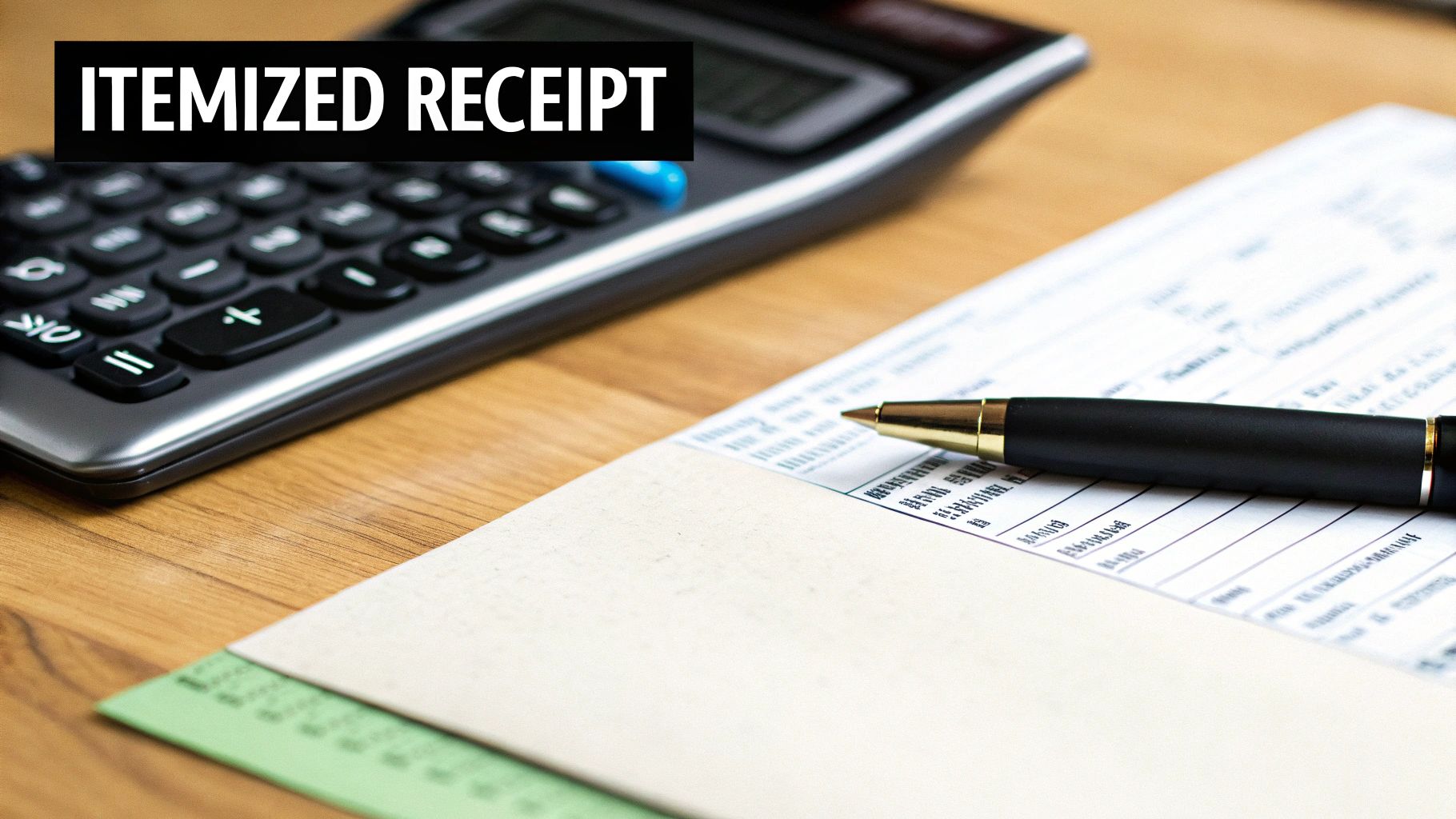
This is where you spell out exactly what the customer paid for. Vague descriptions are a recipe for confusion, so clarity is key. A professional receipt always breaks the sale down line by line.
For each item or service, be sure to include:
- A specific description of the product or service.
- The quantity sold.
- The price per unit.
- The total for that line (Quantity x Unit Price).
For example, a handyman wouldn't just write "Repair work." He'd list things out: "Repair Leaky Faucet - 1 - $75.00" and "Replace Light Fixture - 1 - $120.00." This level of detail removes all doubt. If you need more inspiration, check out our guide on creating an itemized receipt template for more examples.
Bringing It All Together: The Financial Summary
The bottom of the receipt is where all the numbers come together in a final, easy-to-read summary. This section needs to be crystal clear.
- Subtotal: This is the total for all items before taxes.
- Taxes: List any sales tax as its own line. It's good practice to show the rate, too (e.g., "Sales Tax (7.5%)").
- Total Amount Paid: The final amount the customer handed over. Make this number big and bold—it’s the most important one on the page.
- Payment Method: Even though it’s a cash receipt, writing "Paid by: Cash" leaves no room for error.
By including every one of these elements, your cash receipt goes from being a simple note to a powerful document that boosts your credibility and keeps your finances in perfect order.
Designing a Receipt That Reinforces Your Brand
Think about every single piece of paper (or digital file) that leaves your business. A simple cash receipt isn't just a proof of purchase; it's a final handshake, a last impression. It’s an opportunity to show your customers you’re professional and have your act together. A thoughtfully designed free cash receipt form can go from being a boring necessity to a subtle but effective marketing tool.
The first thing to tackle is the layout. I've seen so many cluttered, confusing receipts that just make a business look sloppy. Your goal should be clarity at a glance. When a customer can easily find what they’re looking for, it builds confidence and, trust me, it makes your own bookkeeping a whole lot easier down the line.
Creating a Clear and Readable Layout
Start by thinking about what's most important. The total amount paid, right? That number should pop. Use bold text, a slightly larger font, or even just some clean white space around it to make sure it’s the first thing people see.
We all scan documents the same way: top-to-bottom, left-to-right. Use that to your advantage. Put your business info at the very top, follow it with the customer’s details, then the itemized list, and wrap it all up with the payment summary at the bottom. This logical flow just makes sense and ensures nothing important gets overlooked.
Integrating Your Brand Identity
Your logo is the face of your business, so put it front and center. Placing it right at the top of the receipt instantly makes the document yours. It adds a layer of legitimacy and makes it recognizable in a wallet full of other slips. It’s a small touch that makes a world of difference compared to a generic, text-only receipt.
Fonts matter more than you’d think. The typeface you choose says something about your brand’s personality.
- Professional services (consultant, accountant): Stick with something classic and clean. Think Helvetica or Arial—they project reliability.
- Retail shop or a local café: You have more room to play. Choose a font that matches your store's vibe, whether it's modern and minimalist or rustic and cozy.
- An authentic, old-school look: Some tools, like Receipt Maker, even offer thermal printer fonts. They perfectly mimic the look of traditional POS systems, which can be a really neat touch.
The real key here is consistency. The font on your receipt should feel like it belongs with the fonts you use on your website, your business cards, and your menus. It all ties together.
Using a Tool to Customize Your Free Cash Receipt Form
You don’t need to be a graphic designer to create a polished receipt. Modern receipt makers give you a ton of flexibility to get your branding just right.
For example, a tool like Receipt Maker lets you upload your logo, pick from different fonts, and adjust the entire layout with just a few clicks. For small businesses that need to look professional without spending a ton of time on design, this is a lifesaver.
Here’s a quick look at how straightforward the interface can be for customizing your receipt.
As you can see, you can easily tweak fields, try out different templates, and get a live preview of how your branded cash receipt will look.
This level of detail is critical in cash-heavy businesses like rideshare or parking services, where you need solid, tamper-proof records. Templates that include barcodes and timestamps are a huge help for compliance. Think about a company like Uber, which reports that 15% of its payments globally are still made in cash. For them, having reliable and professional documentation is non-negotiable. Plus, good digital receipts can help you meet strict data protection standards, like the EU's GDPR, and avoid some hefty fines. You can learn more about how receipt templates ensure compliance on jotform.com.
Adding Valuable Extras
Once you have the basics down, a few small additions can make your receipt even more useful and reinforce your brand's helpfulness.
A great receipt doesn't just record a transaction; it anticipates the customer's next question. It’s a final piece of clear communication that solidifies a positive experience.
Consider tacking on these sections. They're optional, but can be incredibly valuable:
- Signature Line: For larger cash sales or service agreements, having a line for the customer to sign offers an extra layer of confirmation for both of you.
- Footer with Key Information: The very bottom of the receipt is prime real estate. Use it for your return policy, business hours, website, or even a simple "Thank you for your business!" It’s a small, friendly touch that can leave a lasting positive impression.
By combining a clean layout, your unique branding, and these helpful little extras, your free cash receipt form becomes more than just a piece of paper—it becomes a small but mighty ambassador for your business.
Generating and Sharing Your Custom Receipt
Okay, so you've designed a receipt that looks great and feels like your brand. Now for the easy part: actually using it. Creating a professional free cash receipt form shouldn't feel like a chore. With a tool like Receipt Maker, you can do everything right from your browser—no sign-ups or downloads needed just to get started.
Let's break down how simple it is to generate and hand over that finished document.
It all starts with picking a solid foundation. With over 100 professionally designed templates, you’re bound to find a good fit. There are options for pretty much every kind of business, from retail shops and restaurants to freelancers and even parking garages. Whether you want something that looks like it just came out of a standard POS system or a more detailed invoice for services, choosing the right template really sets the tone.
Populating Your Receipt with Transaction Details
Once you've got your template, it’s time to plug in the specific details of the sale. This is the heart of the receipt—the information that makes it a legitimate record. The whole interface is pretty intuitive; you just click and type directly into the fields you need.
You'll want to fill out all the essential parts, like:
- Business and Customer Information: Your business name and address, plus the customer's name.
- Receipt Number and Date: A unique number for the transaction and the date it happened. This is a lifesaver for organization.
- Itemized List: Add each product or service on its own line. Be sure to include a clear description, the quantity, and the price for each one. The tool handles the math and calculates the line total for you.
Getting this right ensures all the critical data is there, which helps avoid any confusion down the road.
The process of dialing in your brand's look and feel is straightforward, as this diagram shows.
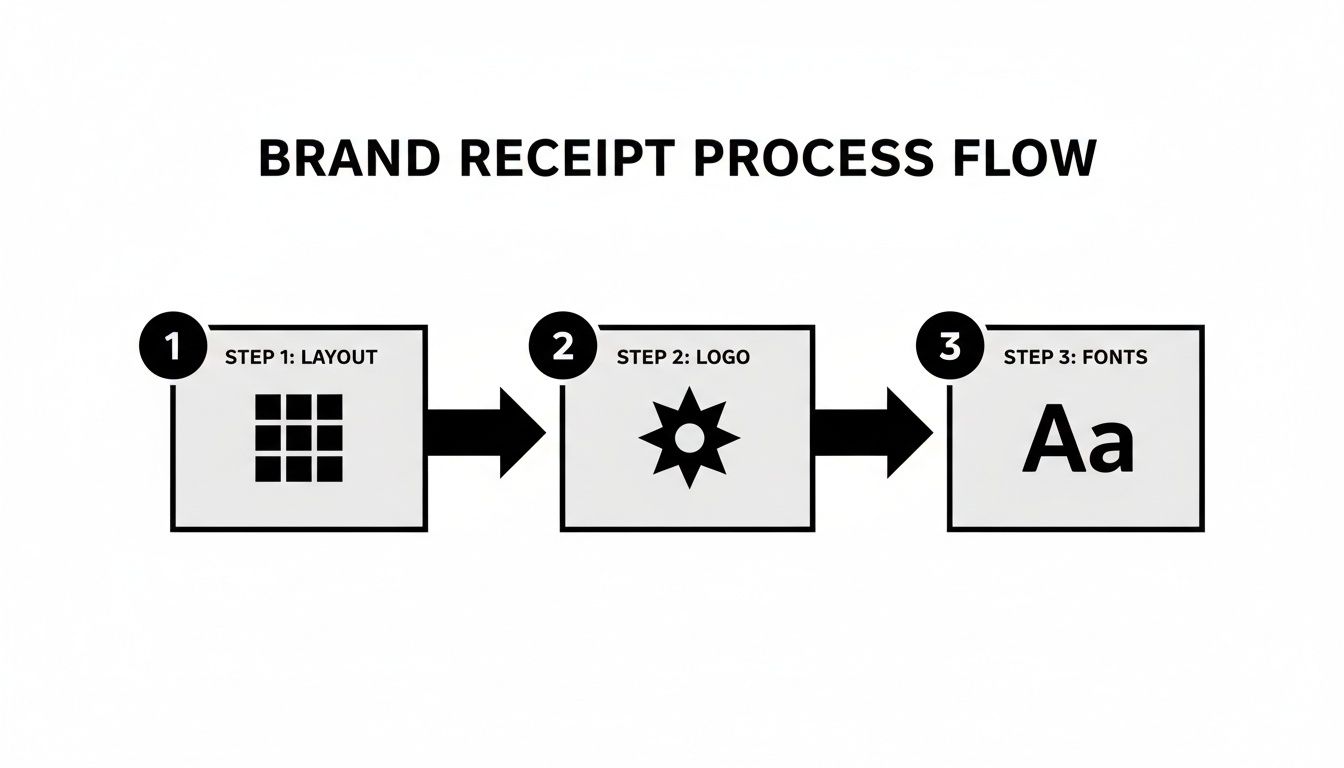
It’s a simple flow: tweak the layout, drop in your logo, and pick fonts that match. Little adjustments like these make a huge difference in creating a polished, custom receipt.
Finalizing and Exporting Your Document
With all the transaction info plugged in, you can add some final touches to make it really stand out. This is where you can add a subtle paper texture to give it a more classic feel or even an authentic thermal print effect for that familiar POS look. You can also set your local tax rate, and the tool will automatically calculate and add it to the subtotal.
A well-crafted receipt is more than just a list of numbers; it’s a tiny piece of your brand. Small details like paper effects and font choices turn a basic document into a professional statement.
After giving everything a final once-over, you've got a few ways to save and share your work.
- Download as an Image: You can save the receipt as a high-quality PNG or JPEG file. This is perfect if you need to email it to a client or attach it to a digital record.
- Get a Print-Ready PDF: If you need a physical copy, generating a PDF is the way to go. These files are already optimized for printing on standard letter-sized paper or those 80mm thermal rolls, so they’ll look crisp and clean either way.
Having the flexibility to choose your output format means you're covered no matter how you run your business—whether you’re all-digital or a classic brick-and-mortar shop.
For more inspiration, you can check out another free online receipt template in our guide. The whole process, from creation to export, is designed to help any business owner produce professional financial documents in just a few minutes.
Mastering Legal and Tax Best Practices
A clean, accurate free cash receipt form does more than just wrap up a sale. Think of it as your first line of defense for staying compliant and keeping tax season from becoming a nightmare. For any business owner, solid receipt management isn't just a "nice-to-have"—it's the backbone of a healthy, legally sound operation. Without it, you’re flying blind.
Holding onto copies of every single cash receipt is absolutely non-negotiable. These little pieces of paper (or digital files) are your primary evidence for expense claims, your proof of income, and your shield if you ever face an audit. Each receipt tells a tiny part of your business's financial story, and together they create a complete, verifiable narrative that tax authorities can follow.
This is where digital records can be a real game-changer. Forget stuffing shoeboxes with thermal paper that fades in a year. Saving digital copies means your records are permanent, searchable, and safe. A quick scan or a saved PDF from a receipt maker creates a durable archive, protecting you from the chaos of lost or damaged documents.
Why Meticulous Records Are Your Best Friend
Let's be honest: cash-heavy businesses often get a little extra scrutiny. Tax authorities know that cash transactions are harder to trace, which is exactly why keeping meticulous records is so critical. A well-organized system proves you're reporting all your income accurately and only claiming legitimate expenses, building a solid foundation of credibility.
For small businesses, accurately logging every cash deal with a proper receipt is essential. If you don't, a tax audit could lead to some serious fines. In fact, IRS data shows that cash-focused businesses are audited 5.5 times more frequently, and a staggering 40% of financial adjustments in recent filings were due to poor documentation. Using a good receipt template ensures you capture the crucial details—date, amount, payer info, and signatures—that back up transactions lacking a digital trail. You can find more insights on this topic by reading about tax compliance for small businesses on invoicesimple.com.
Getting your records in order doesn't have to be a huge headache. We’ve put together a practical guide with actionable steps you can start using today. Check it out here: how to organize receipts for taxes.
A disorganized receipt system isn't just an inconvenience—it's a financial liability waiting to happen. Treat every receipt as a crucial legal document, because that's exactly what it is.
Common Cash Receipt Mistakes and How to Avoid Them
Even with the best of intentions, small mistakes in how you handle receipts can snowball into big problems. Knowing the common pitfalls is the first step to sidestepping them entirely.
Here's a quick look at some frequent slip-ups and the simple fixes to keep your records clean.
| Common Mistake | Potential Consequence | Solution |
|---|---|---|
| Using Vague Descriptions | An auditor might disallow an expense if its business purpose isn't crystal clear from the receipt. | Be specific. Instead of just "Supplies," write "Office Printer Paper and Ink Cartridges." |
| Forgetting to Issue Receipts | This can lead to inaccurate income reporting, customer disputes, and no proof of payment. | Make issuing a receipt a mandatory, non-negotiable step for every single cash transaction, no matter how small. |
| Mixing Personal & Business | During an audit, mixed funds make it tough to justify business expenses and can raise serious red flags. | Keep separate bank accounts and use your free cash receipt form only for business transactions. |
| Not Keeping Digital Backups | Physical receipts can fade, get lost, or be destroyed, leaving you with no transaction record. | Scan or save a digital copy of every cash receipt immediately. Store them in a secure, cloud-based folder. |
By being mindful of these common errors, you're not just creating receipts; you're building a reliable, audit-proof financial record that will protect your business for years to come.
Have Questions About Cash Receipts? We've Got Answers
When you're dealing with financial paperwork, a few questions are bound to come up. For something as common as a free cash receipt form, you want to be certain you're ticking all the right boxes—for your business, your customers, and especially for your own records.
Let’s clear up some of the most common questions we hear. Think of this as the final check to make sure your receipts are professional, compliant, and working as hard for your business as you do.
Can I Use a Digital Receipt for Tax Purposes?
Yes, absolutely. Tax authorities like the IRS have accepted digital records for years. An electronic receipt you create online is just as valid as a paper one, as long as it's done right.
The key is making sure the digital receipt has all the essential information. It has to clearly show your business name and address, the customer's name, the date of the transaction, an itemized list of what was sold, the total amount paid, and how they paid you.
A digital receipt is just as valid as a paper one, provided it's complete and accurate. The key is the information it contains, not the format it's in.
Using a good tool makes this easy, as all the necessary fields are usually built right in. The best habit you can get into is keeping these digital records organized—maybe in a dedicated folder on Google Drive or a secure drive on your computer. That way, they're always ready if you need them for a tax audit or a financial review.
What's the Difference Between a Receipt and an Invoice?
This is a big one, and it's easy to get them mixed up. While they're both part of the same transaction, a receipt and an invoice play two totally different roles. You can't use them interchangeably, and knowing the difference is fundamental to good bookkeeping.
An invoice is a request for payment. You send it to a client before they pay you. It lays out what they owe, the payment terms, and when the payment is due.
A cash receipt, on the other hand, is proof of payment. You issue it after you’ve been paid. It's the official confirmation that the transaction is done and the slate is clean.
In short:
- Invoice: "Here's what you owe me."
- Receipt: "Thanks for paying me."
A typical business workflow looks like this: you do the work, send an invoice, the client pays, and then you send a receipt to close the loop.
How Long Should I Keep Copies of My Cash Receipts?
The standard advice varies a bit, but for tax purposes, you should plan on keeping your records for a minimum of three to seven years.
Here in the U.S., the IRS generally says to keep records for three years from the date you filed your tax return. But there are a few "what ifs" that can extend that timeline.
- The period stretches to six years if you happen to underreport your income by more than 25%.
- It becomes seven years if you file a claim for a loss from worthless securities.
Honestly, with how cheap and easy digital storage is today, the smartest move is to just keep an organized digital archive of every free cash receipt form indefinitely. It takes almost no effort and gives you incredible peace of mind, knowing you're covered for any financial questions that might pop up down the road.
Are There Legal Restrictions on Using a Receipt Maker?
Receipt makers are perfectly legitimate tools meant for professional use. They're great for creating official records of sales, tracking expenses for your business, or even recreating a lost receipt for a reimbursement report you need to file.
However, their use is strictly for legitimate, honest purposes. Every reputable tool has terms of service that explicitly forbid creating fake receipts for fraudulent reasons. Things like trying to cheat on your taxes, fooling an employer on an expense report, or any other kind of deception are illegal.
Trying to use these tools dishonestly can land you in serious legal and financial trouble. The takeaway is simple: always use a receipt maker responsibly and ethically to maintain accurate and transparent records for your business.
Ready to create professional, branded receipts in minutes? With Receipt Maker, you can choose from over 100 templates, customize every detail, and export your document for free. Get started now and see how easy it is to manage your cash transactions with confidence.