12 Best Free Printable Receipt Templates for Any Business in 2026
Find the perfect free printable receipt templates for your needs. We've curated 12 top options in PDF, Word, and Excel for easy customization and printing.
Whether you're a freelancer invoicing for a project, a small business owner tracking sales, or a manager handling expense reimbursements, a professional receipt is non-negotiable. It serves as a proof of purchase, a financial record, and a mark of legitimacy for your operations. Manually creating receipts from scratch is time-consuming and prone to errors. This is where high-quality free printable receipt templates become an indispensable tool, saving you time while ensuring consistency and accuracy in your financial documentation.
This comprehensive guide is designed to help you quickly find the perfect solution for your specific needs. We’ve curated and analyzed the best online resources, from dedicated receipt makers to versatile template libraries. Instead of just listing names, we provide a detailed breakdown of each option, complete with screenshots, direct links, and practical insights. You'll learn which platforms excel at customization, which are best for specific file formats like Excel or PDF, and which offer the simplest, no-signup-required experience.
Our goal is to eliminate the guesswork. We'll explore templates suitable for various industries, including retail, service-based businesses, and rentals. We also cover different formats, from standard 8.5" x 11" paper receipts to compact thermal prints used in point-of-sale systems. By the end of this article, you will have a clear understanding of the available tools and be able to select and implement the ideal free printable receipt templates to streamline your workflow, maintain professional standards, and keep your financial records organized and accurate.
1. Receipt Maker
Receipt Maker stands out as a powerful and highly versatile browser-based tool for anyone needing free printable receipt templates. It excels by combining an intuitive user interface with an extensive suite of professional-grade features, making it our top choice for creating authentic, pixel-perfect receipts without mandatory software installation or sign-ups.
This platform is ideal for a broad range of users, from freelancers needing to recreate a lost expense receipt to developers testing payment processing workflows. Its strength lies in its profound customization capabilities and commitment to realism.
Core Strengths and Features
Receipt Maker’s feature set is impressively comprehensive, offering a level of control that rivals dedicated software.
- Extensive Template Library: Get started instantly with over 100 professionally designed templates categorized by industry. Options include retail, restaurants, gas stations, rideshare services, and pharmacies, ensuring a relevant starting point for almost any scenario.
- Deep Customization: Every element on the receipt is editable. You can upload your own logo, modify business details like name and tax ID, and adjust every line item with specific quantities, descriptions, and prices.
- Authentic Visuals: The platform offers unique design controls to achieve a genuine look. Users can select from thermal-printer fonts, apply classic typefaces, add realistic paper textures, and even simulate thermal-print effects.
- Flexible Exports: Once your receipt is complete, you can instantly download it as a PNG, JPEG, or a print-ready PDF. The tool includes optimizations for both standard letter-sized paper and 80mm thermal printer rolls.
User Experience and Accessibility
The platform is designed for immediate use. You can generate and download a receipt without creating an account, which is a significant advantage for users needing a quick, one-off solution. For those who manage receipts regularly, a free optional account allows you to save, sync, and edit your creations across multiple devices.
While the core features and a generous selection of templates are free, a premium plan is available to unlock advanced templates and remove watermarks. However, the website does not publicly list specific pricing for these plans. The company also provides helpful guides, and you can learn how to make a receipt with their detailed tutorials.
- Website: https://receiptmakr.com
2. Jotform – Receipt PDF Templates
Jotform offers a unique, workflow-oriented approach to creating free printable receipt templates. Instead of just providing a static file, it connects a powerful online form builder to a PDF generator. This allows users to create a web form that, when filled out, automatically generates a polished, printable PDF receipt and can even email it to the recipient. This automation is ideal for businesses that need to process numerous transactions, donations, or registrations and want to streamline their documentation process.
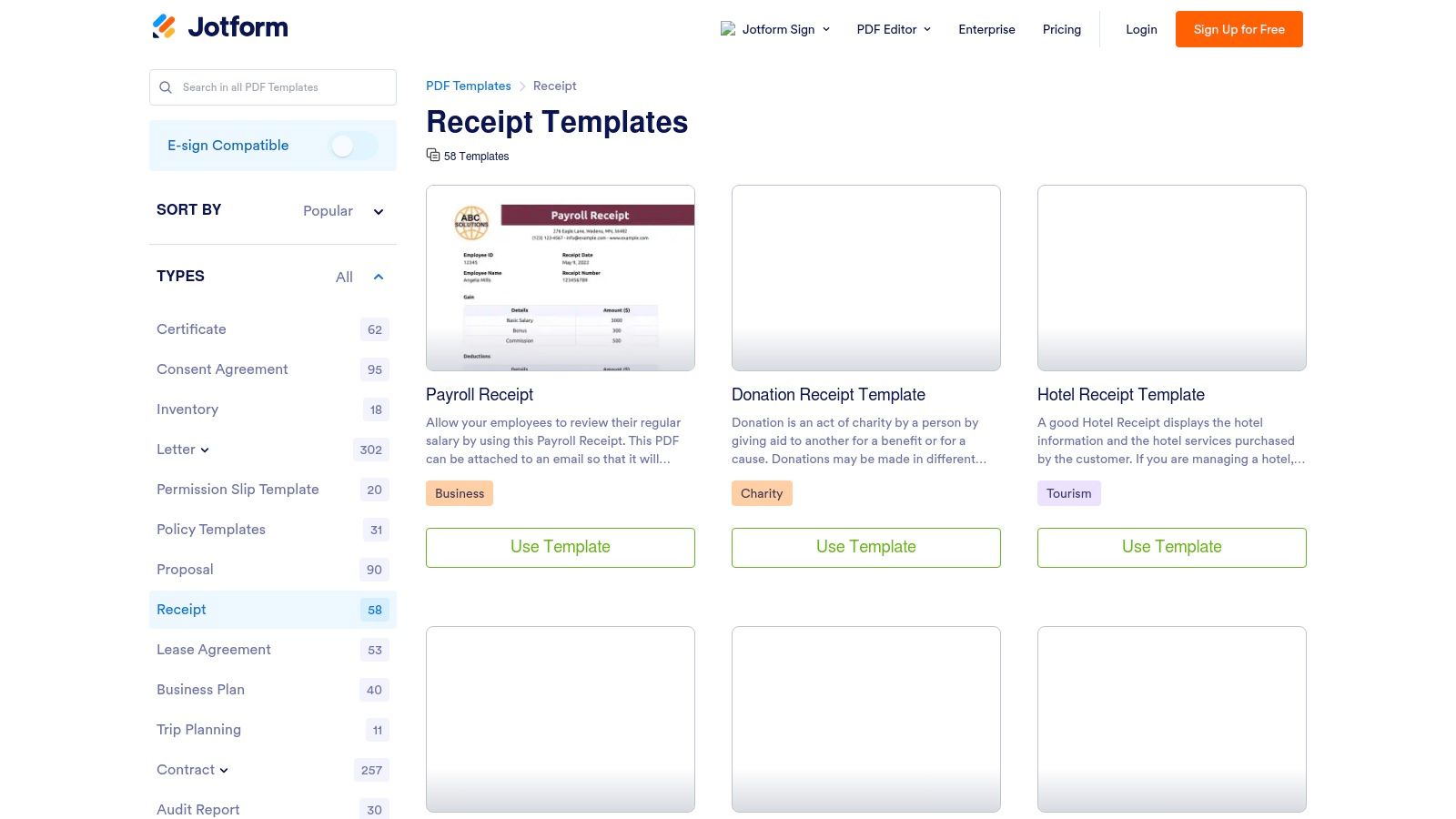
The platform boasts a library of over 50 specific receipt templates, covering everything from standard sales and cash receipts to niche categories like daycare payments, rent, and charitable donations. Its drag-and-drop PDF editor gives you control over branding elements, allowing you to add a logo, adjust colors, and change fonts to match your business's style. This level of customization is a significant step up from simple downloadable files.
Key Features and Considerations
The real power of Jotform lies in its integrations. You can connect your forms to services like Google Drive or Dropbox to automatically save a copy of every receipt generated. The platform’s free plan is quite generous but does come with limitations, such as a cap on monthly form submissions and storage space. Additionally, receipts created under the free tier may include Jotform branding.
- Best For: Businesses needing an automated form-to-PDF workflow for recurring transactions.
- Pros: Excellent automation, wide variety of niche templates, powerful customization editor.
- Cons: Free plan has usage limits and includes Jotform branding on documents.
- Website: Jotform Receipt PDF Templates
3. Vertex42 – Excel/Google Sheets/Word Receipt Templates
Vertex42 provides a traditional, no-frills approach to free printable receipt templates, appealing to users who prefer working within familiar office software. Instead of a web-based editor, it offers a collection of lightweight, downloadable files for Microsoft Excel, Google Sheets, and Word. This is perfect for individuals and small businesses who want to quickly download a file, make minor edits in a program they already know, and print without needing an internet connection or signing up for a new service.
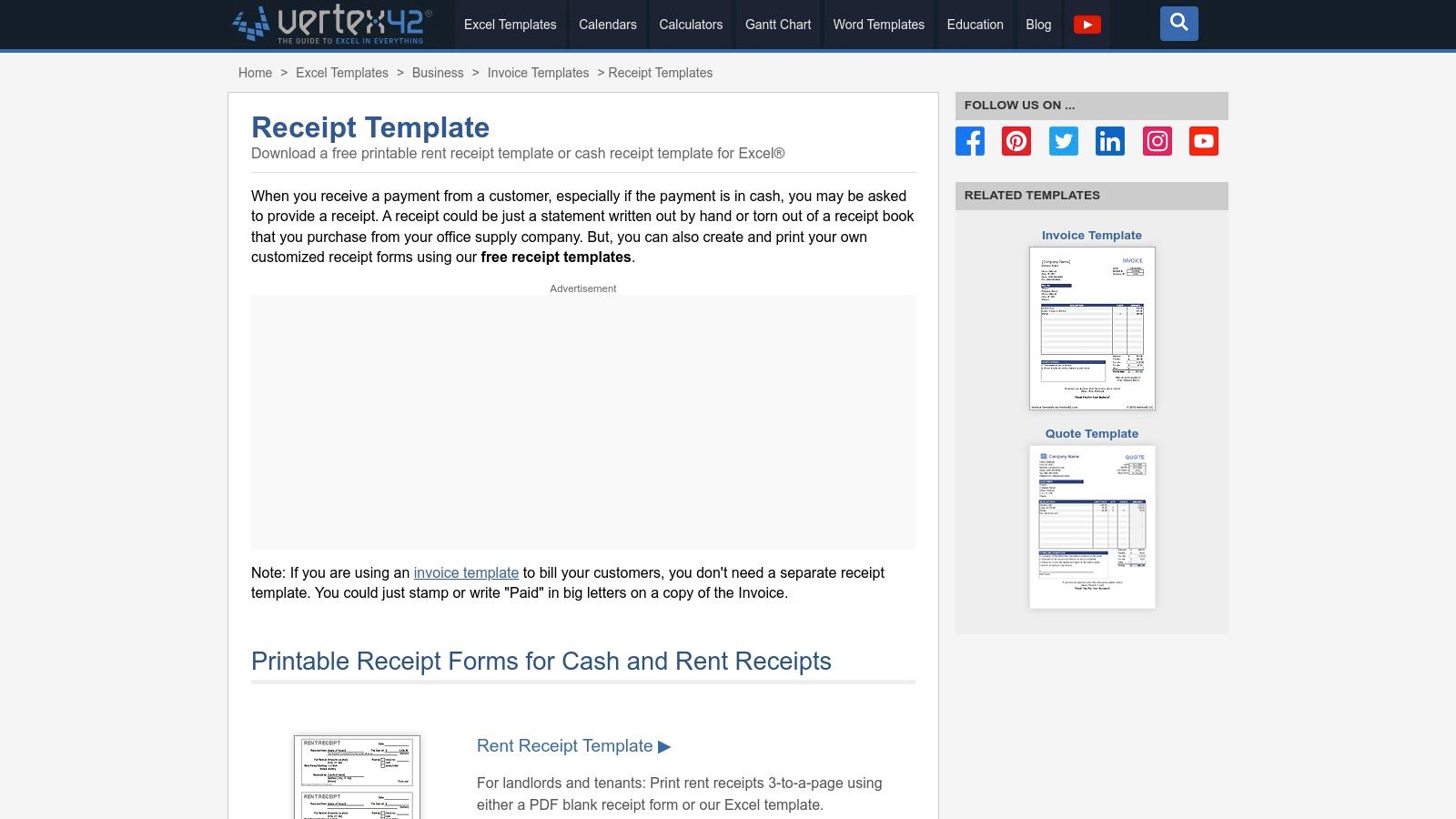
The site specializes in essential formats like cash receipts, rent receipts, and general-purpose templates, some designed to print three-per-page for efficiency. The key differentiator for Vertex42 is the built-in functionality within its spreadsheet versions. These templates often include formulas for auto-numbering and automatically converting numerical amounts into words, a professional touch that reduces manual entry and potential errors. For those who just need to print and fill by hand, simple PDF versions are also available.
Key Features and Considerations
The main benefit of Vertex42 is its simplicity and immediate access; there are no accounts to create or trials to navigate. Each template download is accompanied by detailed notes explaining how to use its features, such as the formula-driven fields. However, the platform's free license is strictly for private use and does not permit redistribution or commercial resale of the templates themselves. Maximizing the benefits of the more advanced features, like the automated formulas, requires a basic understanding of spreadsheet software.
- Best For: Users comfortable with Excel or Google Sheets who want a downloadable file with some built-in automation.
- Pros: Immediate, no-signup downloads; helpful formulas in spreadsheet versions; detailed usage instructions.
- Cons: License limits use to private applications; advanced editing requires some spreadsheet knowledge.
- Website: Vertex42 Receipt Templates
4. Smartsheet – Free Printable/Fillable Receipt Templates
Smartsheet provides a well-organized hub for a wide array of free printable receipt templates, functioning as a comprehensive resource library rather than a direct generator. It aggregates dozens of downloadable templates across various essential categories like basic, cash, rent, and sales receipts. This approach is perfect for users who prefer to work within familiar software like Microsoft Word, Excel, or Google Docs and want to quickly find a professionally formatted file to download and edit.
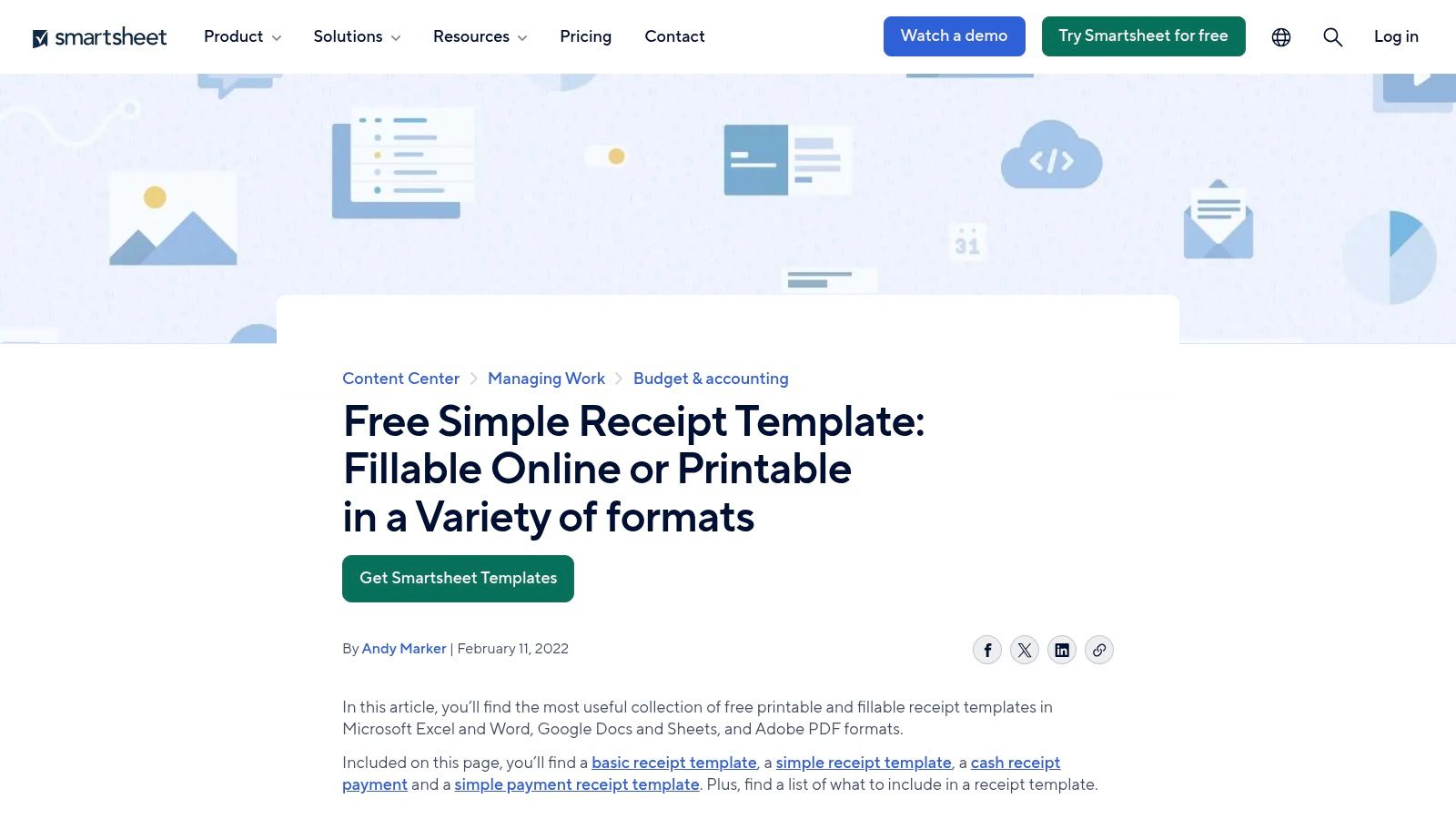
The platform offers each receipt type in multiple formats (Word, Excel, PDF, and Google Sheets), giving users flexibility in how they customize and use the documents. Many templates also include practical layouts, such as multiple receipts per page to help save paper. Each template collection is accompanied by clear instructions and defined use cases, which is helpful for those new to financial documentation. Having a strong system for managing these documents is crucial, and you can learn more about how to organize receipts for taxes to ensure you are prepared.
Key Features and Considerations
Smartsheet's strength lies in its consistency and reliability as a resource from a reputable brand. However, since the primary purpose of the site is to promote its project management software, the template pages are often interspersed with marketing content for the Smartsheet platform. Users may also find that some links lead to related articles rather than direct downloads, requiring a bit of extra navigation to find the desired file.
- Best For: Users who want to download and edit professionally designed receipt templates in standard formats like Word or Excel.
- Pros: Easy to browse by receipt type, consistent formatting across all files, multiple file formats available for each template.
- Cons: Smartsheet product marketing is heavily present, and some navigation can lead to related articles instead of direct downloads.
- Website: Smartsheet Simple Receipt Templates
5. Canva – Receipt Templates
Canva brings the power of a full-fledged graphic design suite to the task of creating free printable receipt templates. Known for its intuitive, browser-based editor, Canva is an excellent choice for users who prioritize branding and visual appeal in their business documents. Instead of providing a simple form to fill out, it offers a vast library of professionally designed templates that can be customized with a simple drag-and-drop interface. This makes it ideal for freelancers, creative professionals, and small businesses who want their receipts to reflect their brand’s unique aesthetic.
The platform allows for deep customization, giving you complete control over colors, fonts, layouts, and the ability to upload your own logo and other brand assets. Once you have perfected your design, you can easily download it as a print-ready PDF or an image file like a PNG. The collaborative features also allow team members to work on or access a standardized receipt template, ensuring brand consistency across all transactions.
Key Features and Considerations
Canva's strength is in its design flexibility rather than data management or automation. While it excels at producing beautiful, one-off receipts, it doesn't offer the form-to-PDF workflow of other platforms. A free account is required to access, customize, and download your designs. Be mindful that some of the more elaborate templates and design elements are locked behind a Canva Pro subscription, though there is a large selection of high-quality free options available.
- Best For: Users who need highly branded, visually appealing receipts and value design flexibility.
- Pros: Extremely user-friendly design interface, excellent for branding, team collaboration features.
- Cons: Not all templates are free, requires an account to use, lacks transaction automation.
- Website: Canva Receipt Templates
6. Adobe Express – Free Templates (including receipts)
Adobe Express brings the design power of the Adobe ecosystem to the world of free printable receipt templates. Rather than being a dedicated receipt maker, it's a comprehensive web-based design tool with a vast library of templates, including professionally designed receipts. This approach is perfect for users who prioritize branding and aesthetics, as it provides a familiar, intuitive editor packed with high-quality fonts, stock photos, and graphic elements to create a truly custom and polished document.
The platform allows you to search for "receipt" and browse various styles, from minimalist to modern. Once you select a template, you can completely customize it using drag-and-drop functionality. You can upload your logo, apply brand colors with a single click, and access Adobe's extensive font library to ensure your receipt aligns perfectly with your business identity. When finished, you can easily download a print-ready PDF.
Key Features and Considerations
The main strength of Adobe Express is its integration of professional design tools in an accessible interface. However, unlike dedicated receipt sites, there isn't a central hub for receipt templates; you must use the general search function. The free plan is robust, but be aware that some of the more premium templates, fonts, and design assets are locked behind an Adobe Express Premium subscription. This means you may need to filter for free-only assets while designing.
- Best For: Creatives and businesses wanting to design visually impressive, brand-aligned receipts.
- Pros: High-quality design assets, excellent typography, powerful and familiar editor, brand kit features.
- Cons: No dedicated receipt category (requires searching), premium assets are gated behind a subscription.
- Website: Adobe Express Templates
7. Template.net – Receipt Templates
Template.net positions itself as a vast marketplace for document templates, and its collection of free printable receipt templates is impressively broad. This platform is an excellent resource for users who prioritize variety in both design and file format. It offers a massive library covering general sales, cash payments, rent, and donations, with templates available for popular editing software like Microsoft Word, Excel, Google Docs, and Google Sheets, in addition to standard PDFs. This flexibility allows users to choose a format that fits seamlessly into their existing workflow.
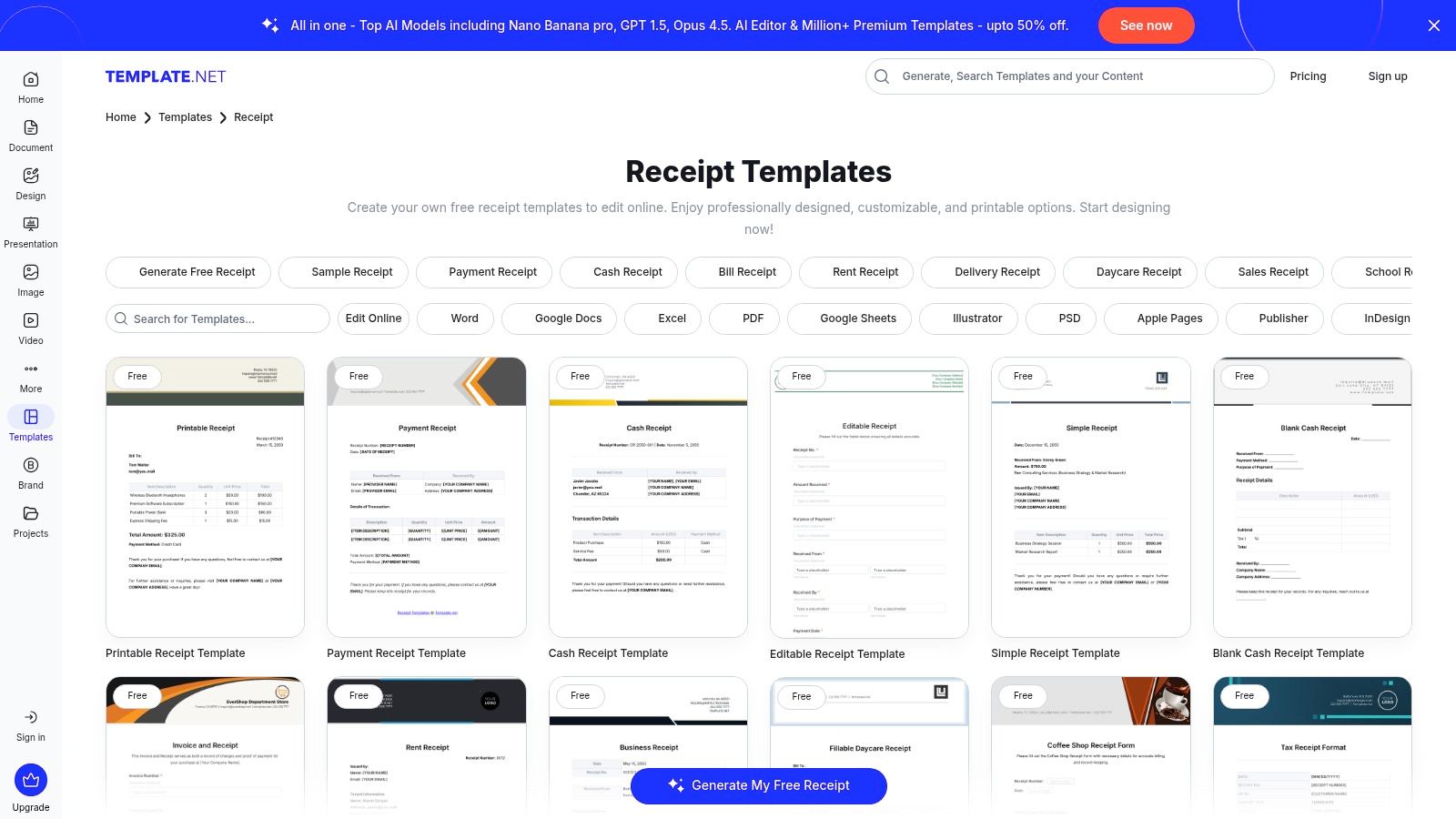
The primary advantage of Template.net is its sheer volume and organizational structure. You can easily filter by category and file type to quickly find a suitable option. Designs range from minimalist and modern to more traditional layouts, ensuring there is a style to match nearly any brand identity. However, the user experience can sometimes be confusing due to the mix of free and premium content.
Key Features and Considerations
Navigating Template.net requires a bit of attention, as many of the most polished designs are marked as "Pro" and require a paid subscription for access. Free templates are readily available but are often mixed in with premium ones, and the site includes ads and download gates that can interrupt the user flow. Despite this, the quality and variety of the free offerings make it a worthwhile destination if you need a specific format that other sites don't provide.
- Best For: Users who need receipts in specific editable formats like Word, Excel, or Google Docs.
- Pros: Very broad selection of styles, excellent file format flexibility for easy editing.
- Cons: Mix of free and paid templates can be confusing, site contains ads and download gates.
- Website: Template.net Receipt Templates
8. PandaDoc – Free Receipt Templates
PandaDoc elevates the creation of free printable receipt templates by integrating them into a comprehensive document workflow platform. It is particularly well-suited for businesses that require more than a simple proof of purchase. The platform allows users to create, edit, send, and e-sign documents, making it an excellent choice for transactions that need formal acknowledgment or are part of a larger contractual process. Instead of a basic download, you get a powerful online editor to tailor your receipts.
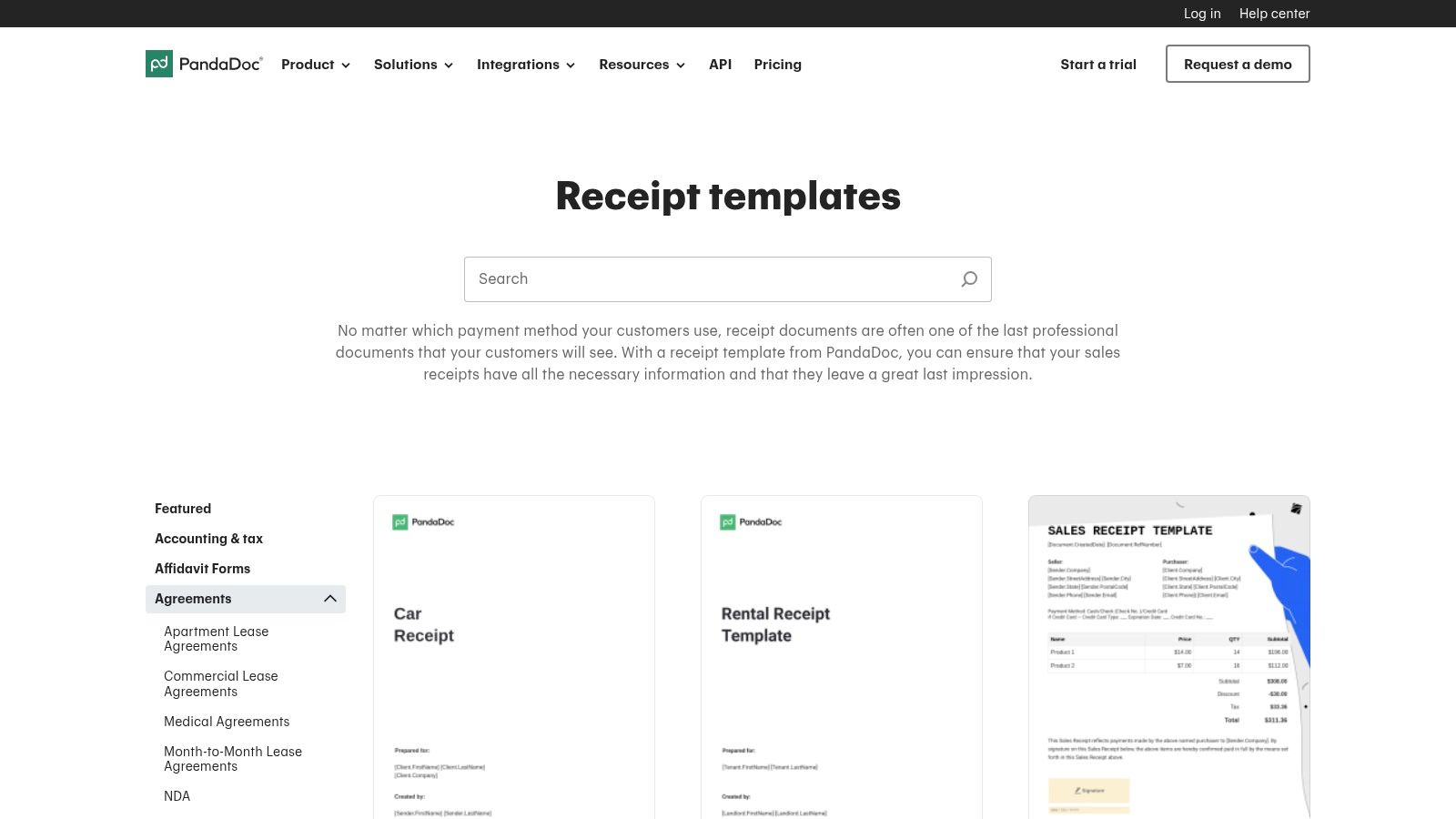
The platform offers a selection of professional-looking templates, including sales receipts and formats for receipt books. You can customize these documents with your company branding, add specific line items, and set up fields for electronic signatures. This turns a standard receipt into a legally binding document if needed. Once your template is ready, you can download it as a PDF for printing, email it directly to a client, or store it within the PandaDoc system for easy tracking and management.
Key Features and Considerations
The standout feature of PandaDoc is its e-signature and document routing capabilities. This is overkill for a simple cash transaction but invaluable for service agreements, freelance project payments, or high-value sales. While you can access and customize templates for free, unlocking the full workflow potential, like creating reusable templates and advanced tracking, requires a paid account. For a quick, one-off printable receipt, the process is more involved than a direct download site.
- Best For: Businesses and freelancers needing professional, e-signable receipts integrated into a document management workflow.
- Pros: Produces highly professional, client-ready outputs; excellent for adding e-signatures or routing documents.
- Cons: Requires an account for full functionality; more complex than necessary for simple, single-use receipts.
- Website: PandaDoc Free Receipt Templates
9. DocuSign – Free Payment Receipt Template
DocuSign brings its enterprise-grade electronic signature technology to the world of free printable receipt templates. Rather than offering a simple file download, it provides a fillable payment receipt template directly within its trusted editor. This approach is specifically tailored for businesses that require not just a record of payment, but also a legally binding signature and a verifiable audit trail. It transforms a standard receipt into a secure, signed document, perfect for high-value transactions or formal agreements.
The platform allows you to fill in the template, download it as a PDF for printing, or send it directly to a recipient for an electronic signature. While it doesn't offer a vast library of designs, its strength lies in security and compliance. The workflow is intuitive for anyone familiar with e-signing platforms, focusing on functionality over aesthetic variety. This makes it a powerful tool for service providers, consultants, and landlords who need signed confirmation of payment.
Key Features and Considerations
The primary benefit of using DocuSign is the audit trail that accompanies every signed document, providing proof of who signed, when, and where. However, to access the editor and its features, a DocuSign account is required. This may be a hurdle for those seeking a quick, anonymous download. Compared to dedicated template libraries, its selection is very limited, offering a single, professionally designed payment receipt template.
- Best For: Businesses and freelancers already using an e-signature workflow who need signed, auditable receipts.
- Pros: Trusted brand with robust security, provides a verifiable audit trail, integrates signing into the receipt process.
- Cons: Requires an account to use the editor, offers very limited template variety.
- Website: DocuSign Free Payment Receipt Template
10. General Blue – Free Printable Receipt Templates
General Blue offers a straightforward, no-frills approach to free printable receipt templates. The platform focuses on providing essential, ready-to-use documents in popular formats without requiring any user registration or sign-up. This direct access makes it a go-to resource for individuals and small businesses needing a quick, simple receipt for immediate use, whether for a cash transaction, rent payment, or sales record. The emphasis is on functionality and speed over complex customization.
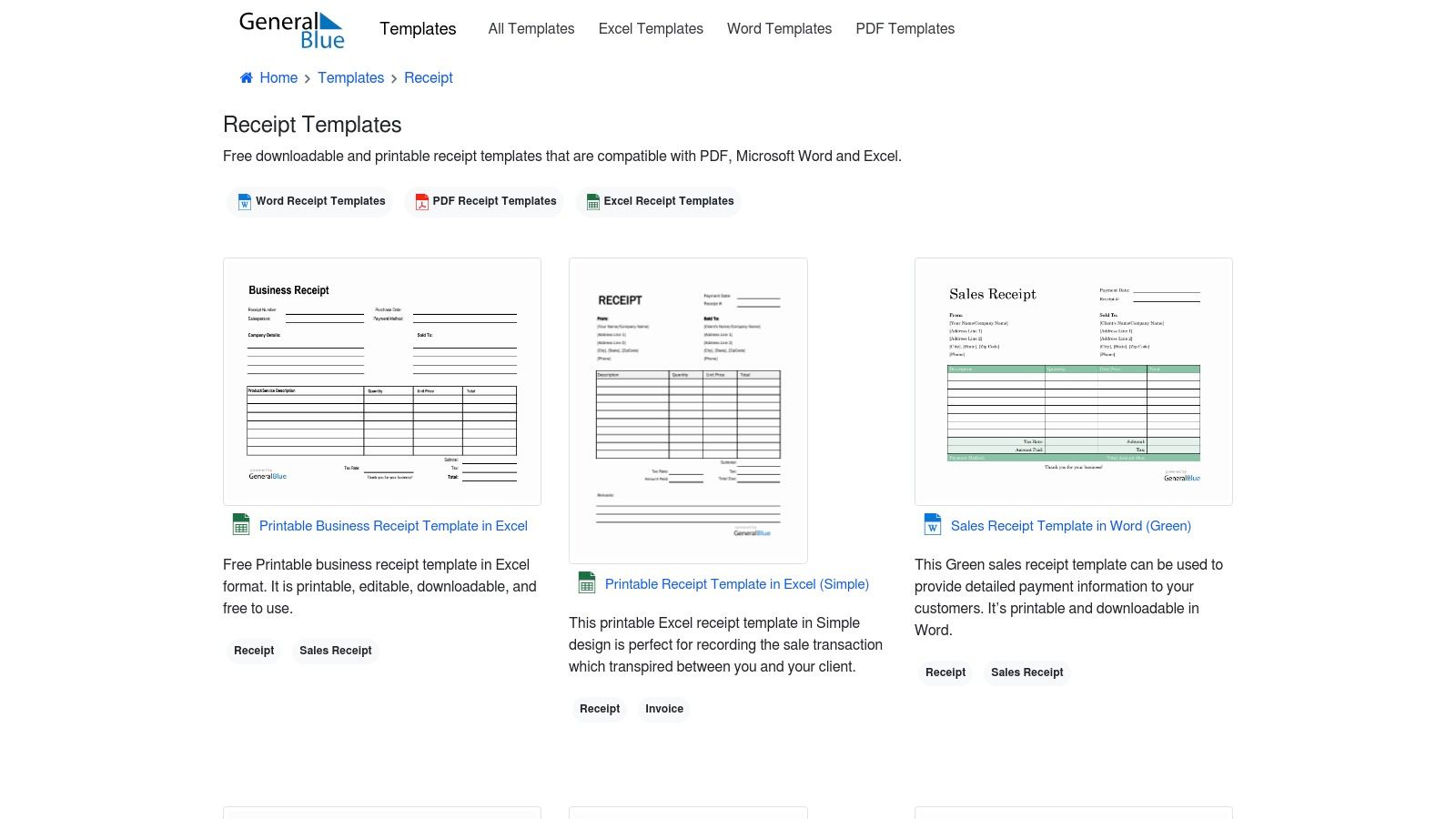
The primary advantage of General Blue is its format variety. Most templates are available as a printable PDF for quick manual entry, a Microsoft Word file for easy text editing, and a Microsoft Excel version. The Excel templates are particularly useful as they often include pre-built formulas that automatically calculate subtotals, taxes, and totals, saving time and reducing the chance of manual errors. While the designs are basic, they are clean, professional, and cover all the necessary fields for a valid receipt. It is important to remember that these templates are for legitimate record-keeping and not for creating misleading documents; understanding how to properly document transactions is key to avoiding issues.
Key Features and Considerations
General Blue's site is supported by ads, which can sometimes make navigation feel a bit busy, but this is a minor trade-off for completely free access. The lack of an online editor means customization is limited to what you can do within Word or Excel. This is ideal for users comfortable with those programs but less so for those seeking a guided, web-based design experience. The platform is best viewed as a digital file cabinet for standard business forms.
- Best For: Users who need a quick, no-signup download of a standard receipt in a familiar format like Word or Excel.
- Pros: Completely free with no registration required, offers Excel templates with auto-calculation formulas, provides multiple file formats (PDF, Word, Excel).
- Cons: Limited branding customization options, the website interface contains advertisements.
- Website: General Blue Receipt Templates
11. Wise (Wise Business) – Free Word Receipt Template
Wise, a well-known name in the fintech space, offers a streamlined solution for businesses seeking free printable receipt templates in a familiar format. Rather than providing a complex generator or a vast library, Wise offers a single, professionally designed template in Microsoft Word. This approach targets small businesses and freelancers who need a quick, no-fuss way to create a clean, official-looking receipt using software they already have. The template is immediately downloadable and editable, making it a highly efficient option.
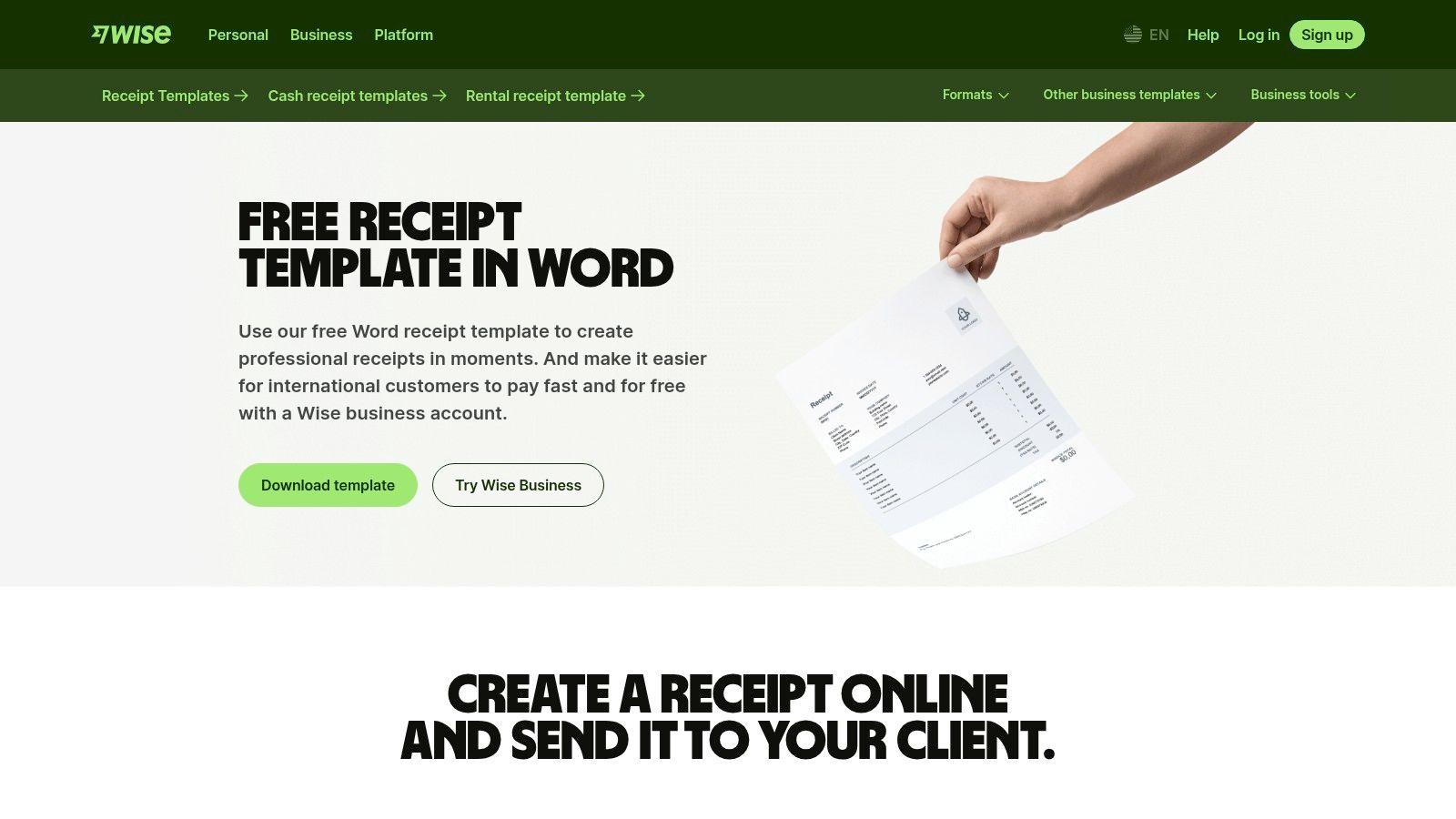
The template features a simple and modern layout that is easy to customize with a business logo, contact information, and transaction details. Wise also provides clear guidance directly on the page regarding what essential information to include, such as a unique receipt number, payment date, and a description of goods or services. This makes it an excellent resource for new business owners who might be unsure about standard receipt practices. The focus is on simplicity and reliability, leveraging the trust associated with the Wise brand.
Key Features and Considerations
The primary advantage of the Wise template is its straightforwardness. There are no sign-ups or software installations required beyond having Microsoft Word. Users can download, edit, and print within minutes. However, this simplicity is also its main limitation. There is only one design available, so businesses looking for variety or more advanced features like automatic calculations or database integration will need to look elsewhere. The download page also subtly promotes Wise's business services, which is something to be aware of.
- Best For: Small businesses and freelancers who prefer editing receipts in Microsoft Word.
- Pros: Clean and professional design, trusted brand, easy to edit and print without any signup.
- Cons: Only a single template is available, and the landing page promotes Wise's paid services.
- Website: Wise Free Word Receipt Template
12. Xero – Free Receipt Template
Xero, a major player in the accounting software industry, offers a clean and professional free printable receipt template for businesses seeking a trustworthy design. Unlike dedicated template libraries, Xero provides a single, well-structured editable PDF. To access it, you must submit a name and email address, after which the template and an accompanying example are delivered directly to your inbox. This approach is well-suited for businesses that prioritize a polished, corporate look and don't mind a small registration step to get a high-quality document.
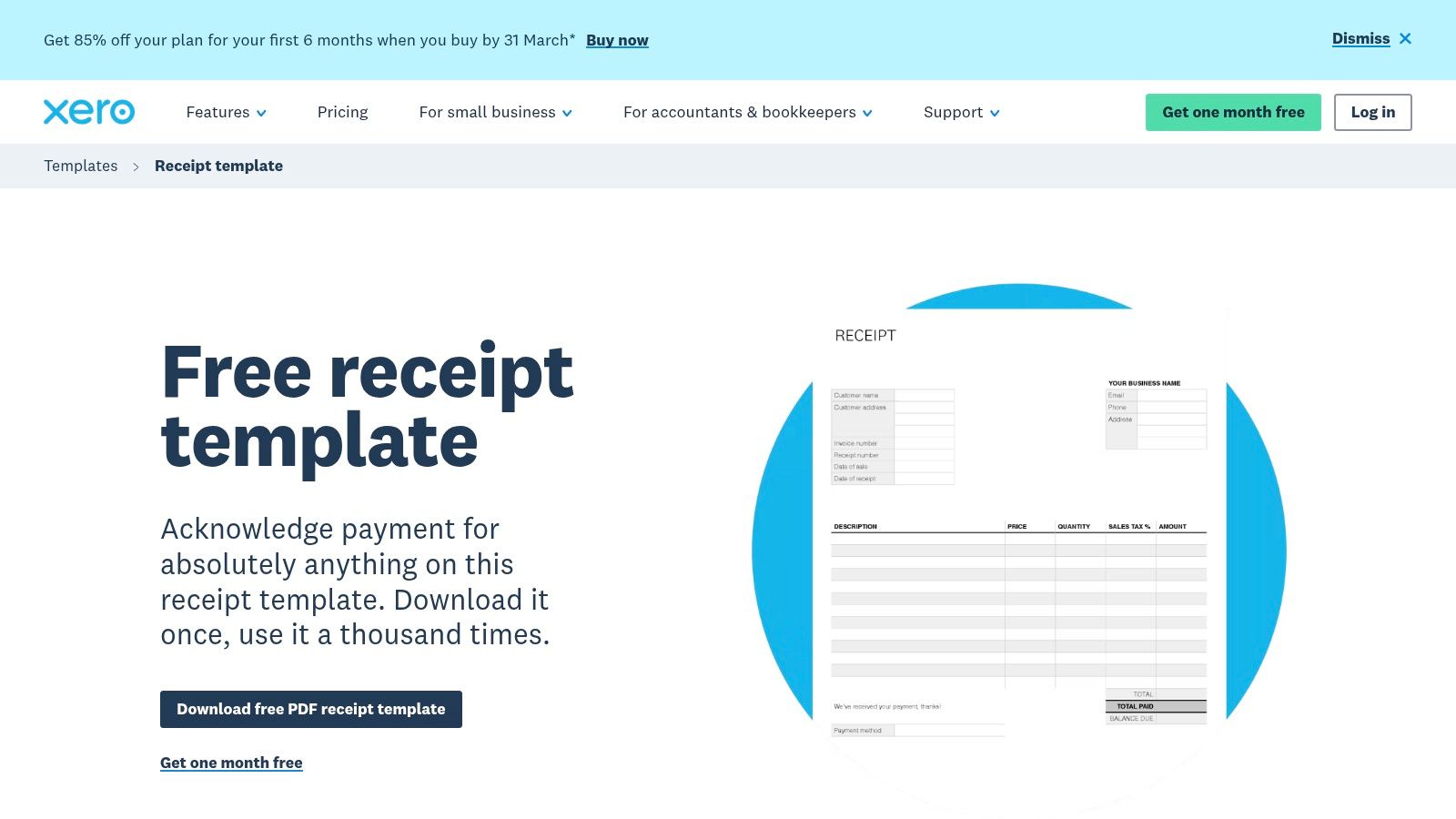
The template features a classic layout with fields for company details, customer information, a description of goods or services, quantities, unit prices, and totals. Its design is straightforward, making it easy to fill out digitally using a standard PDF reader or to print and complete by hand. The included usage guidance helps users understand how to properly fill out each section, ensuring accuracy for bookkeeping purposes. While it lacks the variety of other platforms, its source from a leading accounting firm adds a layer of credibility to its format.
Key Features and Considerations
The primary advantage of the Xero template is its professional, no-frills design that reflects sound accounting practices. The PDF is fully editable, allowing you to type directly into the fields before printing or saving. The main trade-off for this quality is the email gate; users must provide contact information to receive the file. This might be a deterrent for those seeking immediate, anonymous downloads. Furthermore, it's a one-size-fits-all solution, lacking the specialized templates for different industries or transaction types found elsewhere.
- Best For: Small businesses and freelancers who value a professional, accounting-standard layout.
- Pros: Clean and professional design from a trusted accounting software provider, editable PDF format.
- Cons: Requires email submission to download the file, only one template design is available.
- Website: Xero Free Receipt Template
Top 12 Free Printable Receipt Template Comparison
| Product | Core features | UX / Quality (★) | Value / Pricing (💰) | Target audience (👥) | Unique selling points (✨) |
|---|---|---|---|---|---|
| 🏆 Receipt Maker | 100+ industry templates, thermal fonts, logo upload, PNG/JPEG/PDF exports, 80mm PDF optimization | ★★★★★ | 💰 Free tier + Premium (watermark removal, extra templates) | 👥 Individuals, SMBs, props, QA/testing, educators | ✨ Ultra‑realistic receipts, thermal‑print effects, no signup required for instant use |
| Jotform – Receipt PDF Templates | 50+ receipt templates, drag‑drop PDF editor, form→PDF automation, integrations | ★★★★ | 💰 Freemium (free with limits; paid plans for more submissions) | 👥 Form users, small businesses, automated workflows | ✨ Auto-fill PDFs from form submissions + wide integrations |
| Vertex42 – Templates | Excel/Sheets/Word receipts, formulas (auto-numbering, amount‑in‑words), printable PDFs | ★★★ | 💰 Free downloads (private-use license) | 👥 Spreadsheet users, DIY accountants, offline printers | ✨ Spreadsheet formulas and Word/Excel native files |
| Smartsheet – Templates Hub | Central hub linking Word/Excel/Google/PDF receipt files, multi‑format options | ★★★ | 💰 Free templates (site content + product marketing) | 👥 Office users browsing by receipt type | ✨ Curated, easy-to-browse hub from a reputable brand |
| Canva – Receipt Templates | Online editor, fonts/logos/colors, export PDF/PNG, team collaboration | ★★★★ | 💰 Freemium (some templates require Pro) | 👥 Designers, marketing teams, client‑facing businesses | ✨ Fast branding and visual customization with collaboration |
| Adobe Express – Templates | Adobe web editor, brand kits, templates, PDF export | ★★★★ | 💰 Freemium (some assets gated by Premium) | 👥 Designers, users needing strong typography | ✨ Adobe assets, font controls and professional typography |
| Template.net – Receipt Templates | Large marketplace, Word/Excel/Google/PDF formats, free & paid items | ★★★ | 💰 Mix of free and subscription/paid templates | 👥 Users needing broad style & format choices | ✨ Very wide selection across many receipt types |
| PandaDoc – Receipt Templates | Editable online receipts, reusable templates, e‑signature/workflows, PDF export | ★★★★ | 💰 Free templates; account required for full workflows | 👥 Sales teams, document workflows, signature needs | ✨ E‑signature + template reuse and routing |
| DocuSign – Payment Receipt | Fillable receipt template, e‑signature, audit trail, PDF export | ★★★★ | 💰 Free template; account required (enterprise pricing for platform) | 👥 Enterprise, legal, auditable signature workflows | ✨ Trusted e‑sign platform with audit trail |
| General Blue – Printable Templates | PDF/Word/Excel receipts, Excel with calculations, quick downloads | ★★★ | 💰 Free downloads | 👥 Small teams wanting quick printable forms | ✨ Immediate, no‑signup downloads and simple Excel formulas |
| Wise – Word Receipt Template | Editable Word receipt, clean layout, guidance on content | ★★★ | 💰 Free | 👥 Small businesses wanting a trusted simple template | ✨ Branded fintech template with editing guidance |
| Xero – Free Receipt Template | Editable PDF receipt (email delivery), example & usage guidance | ★★★ | 💰 Free (email required to receive file) | 👥 Small businesses, accountants preferring accounting brand | ✨ Professional layout backed by an accounting platform |
Final Thoughts
Navigating the landscape of financial documentation can seem daunting, but as we've explored, creating professional and accurate proofs of purchase is more accessible than ever. The right tool can transform a tedious administrative task into a streamlined, efficient process, bolstering your brand's credibility and simplifying your record-keeping. This comprehensive guide has walked you through a curated selection of the best free printable receipt templates available, each with its own unique strengths and ideal use cases.
From the robust, spreadsheet-driven solutions offered by Vertex42 and Smartsheet to the design-centric platforms like Canva and Adobe Express, the options are as diverse as the businesses they serve. We've seen how tools like Jotform excel at integrating receipts into broader data collection workflows, while established names like DocuSign and PandaDoc bring their expertise in document management to the table. Each resource provides a solid foundation for generating the documentation you need.
Key Takeaways for Choosing Your Template
The journey to finding the perfect receipt solution doesn't end here. Your final decision should be guided by a clear understanding of your specific operational needs. Reflect on the insights shared for each tool and consider the following factors as you move forward:
- Customization vs. Simplicity: Do you need deep brand integration with custom logos, fonts, and colors (Canva, Adobe Express), or is a straightforward, fill-and-print solution more practical for your workflow (General Blue, Receipt Maker)?
- Software Ecosystem: Are you already heavily invested in a particular software suite? If your team lives in Microsoft Office or Google Workspace, templates from Vertex42, Smartsheet, or Wise might offer the most seamless integration.
- Volume and Frequency: For high-volume needs, an automated or spreadsheet-based system that can handle batch entries might be more efficient. For occasional, one-off receipts, a simple web-based generator is often the quickest path.
- Required Features: Do you need features beyond a basic receipt, such as automatic calculations, tax fields, or digital signature capabilities? Tools like Xero or those built on Excel often have these functions built-in.
- Format and Output: Consider your end-use. Are you printing on standard 8.5" x 11" paper, or do you need a template formatted for a thermal POS printer? Ensure the tool you choose supports the required output dimensions.
A Strategic Approach to Professional Receipts
Implementing a consistent receipting process is a strategic move that pays dividends. It enhances customer trust, provides a clear paper trail for accounting and tax purposes, and reinforces your professional image with every transaction. Whether you are a freelancer invoicing a client, a small retail shop managing daily sales, or a prop master creating authentic-looking documents for a film set, the right free printable receipt templates are out there.
The key is to select a tool that not only meets your immediate needs but also aligns with your long-term goals. Don't be afraid to experiment with a few different options from this list to find the one that feels most intuitive and efficient for you. By leveraging these powerful and free resources, you empower your business to operate with greater professionalism and financial clarity, turning a simple piece of paper into a valuable business asset.
For those who need a fast, powerful, and completely free solution without the hassle of sign-ups or software installation, we recommend giving Receipt Maker a try. It’s the perfect tool for generating custom standard or thermal receipts on the fly, directly from your browser. Create your professional, free printable receipt templates in seconds at Receipt Maker.