Create a Perfect Itemized Receipt Template
Learn how to create a professional itemized receipt template. Our guide offers practical tips, industry examples, and design advice for clear financial records.

Think of an itemized receipt template as your go-to blueprint for transaction records. It’s a pre-made document designed to break down every single cost, line by line, giving you a crystal-clear proof of purchase. This isn't just about paperwork; it's a core tool for staying on top of your expenses, making reimbursements a breeze, and keeping the tax man happy.
Why a Clear Itemized Receipt Template Matters
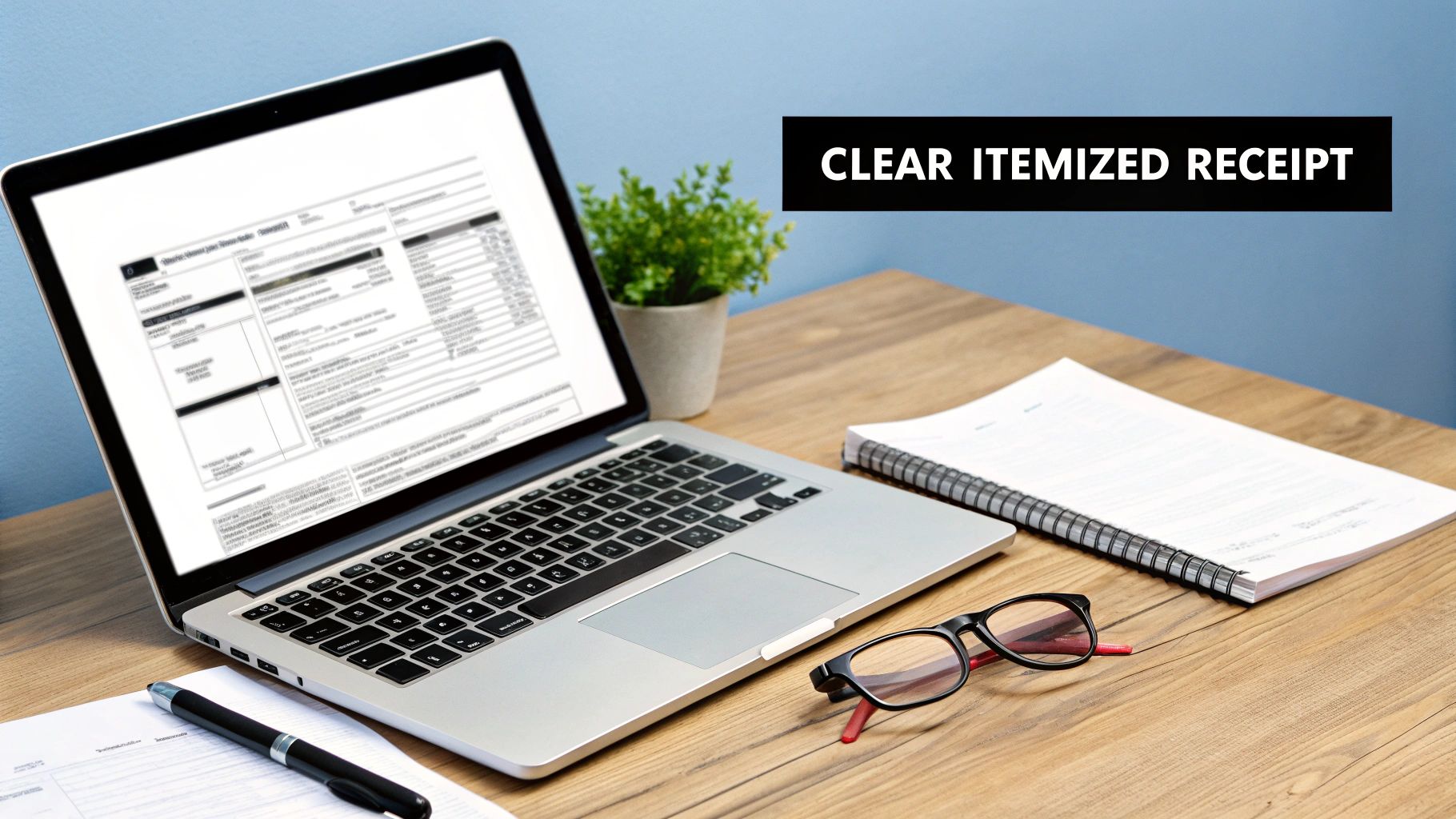
A solid itemized receipt template is far more than just a digital file or a slip of paper. It’s an essential tool that brings clarity to your finances and shows you mean business. Whether you're a freelancer, running a small shop, or part of a larger company, being able to provide a detailed breakdown of charges is crucial. It clears up any confusion for your clients and makes internal tasks like expense reports and bookkeeping run like a well-oiled machine.
If you skip using a structured template, you're likely to end up with vague, sloppy receipts. That can quickly lead to payment arguments, hold-ups on reimbursements, and a real mess when tax season rolls around. Just picture a consultant handing over a receipt that only says "Project Services." The client has no idea how many hours were worked or what specific tasks were done, which can damage trust and make getting paid a lot harder.
Building Trust Through Transparency
A professionally crafted itemized receipt isn't just a list of numbers—it tells the story of the value you provided. When a customer sees exactly what they're paying for, like each dish at a restaurant or the specific parts and labor for a car repair, it confirms they got a fair deal. This kind of transparency is a cornerstone of building lasting customer relationships and a trustworthy brand.
Going digital with itemized receipt templates has also been a game-changer for financial management. A staggering 61% of businesses around the world point to poor expense management as a major cause of cash flow problems. Templates tackle this issue head-on by capturing the nitty-gritty details needed for proper accounting. For more data on this, check out the corporate expense management insights from TravelBank.
A great receipt template does two things perfectly: it creates a solid, undeniable record for your books and makes you look organized and professional to every single customer.
Before we dive into creating your own, let's break down the key components. A truly effective receipt isn't just a random assortment of information; every field has a specific purpose.
Anatomy of an Effective Itemized Receipt
This table breaks down the essential fields every itemized receipt template needs to ensure it's clear, compliant, and professional.
| Component | What It Is | Why It's Critical |
|---|---|---|
| Your Business Information | Your company's name, address, phone number, and logo. | Identifies you as the seller and reinforces your brand. It's a must for professionalism. |
| Customer Information | The name and contact details of the person or company buying from you. | Essential for B2B transactions, record-keeping, and resolving any future issues. |
| Receipt Number & Date | A unique identifier for the transaction and the date it occurred. | Crucial for tracking sales, managing returns, and organizing your financial records chronologically. |
| Itemized List | A line-by-line breakdown of each product or service with a description, quantity, and unit price. | This is the heart of the receipt. It provides the transparency customers and accountants need. |
| Subtotal, Taxes, & Total | The sum of all items before tax, the tax amount, and the final amount paid. | Ensures financial accuracy and provides the necessary breakdown for tax filing and expense claims. |
| Payment Method | How the customer paid (e.g., Cash, Credit Card, PayPal). | Helps with account reconciliation and provides a complete picture of the transaction. |
Having these elements in place transforms a simple piece of paper into a powerful business tool.
Essential for Financial Health
At the end of the day, using a consistent itemized receipt template is just good business. It guarantees that every sale is documented accurately, which is absolutely vital for a few key reasons:
- Accurate Expense Reporting: Employees can submit claims that are clear and detailed, making it easy for the finance department to give the green light.
- Tax Compliance: If you ever face an audit, itemized receipts are the detailed proof you need to back up your business expense deductions.
- Simplified Bookkeeping: When your records are clean and consistent, reconciling your accounts becomes faster and you're far less likely to make costly errors.
By setting up a clear and professional format right from the start, you build a system that strengthens your financial operations, saves you valuable time, and helps you avoid mistakes down the road.
Building Your Receipt Template from the Ground Up
Putting together a professional itemized receipt template isn't nearly as daunting as it sounds. The trick is to think of it in three distinct parts: the header, the main body, and the footer. By tackling each section one by one, you can build a clear, effective document that works for both you and your customers.
This isn't just about plugging in information. It's about organizing that information so the final document is logical, professional, and dead simple to understand. Let's walk through how to build out each part so every crucial detail has a home.
Crafting a Professional Header
The header is the first thing anyone lays eyes on. Think of it as prime real estate for your brand and the most critical business details. It’s your chance to make a solid first impression and instantly show who the receipt is from.
Start with your business logo right at the top. A clean, high-resolution logo (aim for at least 200x200 pixels for digital receipts) makes you look legit. Right next to it or just below, add your business’s full legal name, address, phone number, and website. This isn't just filler; it's essential for any customer service follow-up.
Next, you'll need a few key identifiers for your own records and for legal reasons:
- "Receipt" or "Itemized Receipt": Label the document clearly. No room for confusion.
- Unique Receipt Number: Every transaction needs its own sequential number. This is a lifesaver for tracking things down later.
- Transaction Date: Absolutely non-negotiable. This is vital for accounting, expense reports, and any potential audits.
Finally, if you're registered to collect sales tax, your Tax ID number (like an EIN or VAT number) should be clearly displayed in the header, too. It makes life easier for everyone when tax time rolls around.
Structuring the Main Body for Clarity
The body is where the nitty-gritty transaction details live. You need to organize this section with military precision to break down the costs. The goal is transparency, so your customer can follow along without a single question. A simple table format is your best friend here.
Set up columns for these key pieces of information:
- Item/Service Description: Get specific. "Consulting" is vague; "Marketing Strategy Session" is crystal clear.
- Quantity (Qty): The number of items purchased or hours billed.
- Unit Price: The cost for a single item or one hour of service.
- Line Total: The simple math of quantity multiplied by the unit price.
Laying it out this way prevents any mix-ups and creates a logical flow. Every single product or service gets its own row, giving a perfect, line-by-line breakdown of the purchase.
A well-structured itemized list is the heart of a good receipt. It eliminates guesswork for the customer and provides the detailed proof required for expense reimbursements and tax deductions.
Finalizing the Footer with Financials
The footer is where you tie everything together and close out the transaction. This part needs to be completely unambiguous, calculating the final amount paid with total transparency. It's the last accuracy check.
Start with the subtotal—the sum of all the line totals from the body. Right below that, list any other charges or deductions on their own lines. This usually includes:
- Discounts: Clearly show any promotions you applied.
- Taxes: Specify the tax rate and the final tax amount.
- Tips or Gratuity: If you're in an industry where this is common, list it separately.
After that, present the Grand Total. Make this number bold and impossible to miss. This is the final amount the customer actually paid. To wrap it all up, add the payment method (e.g., Visa ****1234, Cash, PayPal) and, if necessary, the amount tendered and change given. This is also a great spot for a quick "Thank you!" or a brief note about your return policy.
For more layout ideas, you might want to check out our collection of free online receipt templates for some extra inspiration.
Tailoring Your Template for Any Industry
A one-size-fits-all receipt just doesn’t cut it in the real world. While any basic template will list what was sold and for how much, tailoring it to your specific industry does so much more. It sharpens your record-keeping, clarifies things for your customers, and ultimately makes you look more professional.
Think about it: the details that matter to a coffee shop are completely different from what a freelance graphic designer needs to show. Adding custom fields and using industry-standard language turns a simple piece of paper into a genuinely useful business tool.
Customizing for Retail and Sales
If you're in retail, you live and die by inventory management. Whether you're running a boutique clothing store or an electronics shop, your receipt should be an extension of your inventory system.
The easiest way to do this is by adding a column for SKU (Stock Keeping Unit) numbers or product codes right next to each item description. This tiny change makes tracking what you’ve sold, what’s on the shelves, and what’s popular an absolute breeze.
And don't forget the return policy. Hiding it in fine print is a recipe for customer frustration. Add a clear, simple summary of your policy for returns, exchanges, and refunds right in the footer. It sets expectations up front and can save you a lot of headaches later.
This quick flowchart shows the universal structure of a solid receipt. You can use this as your foundation and then build on it with the details that matter for your business.
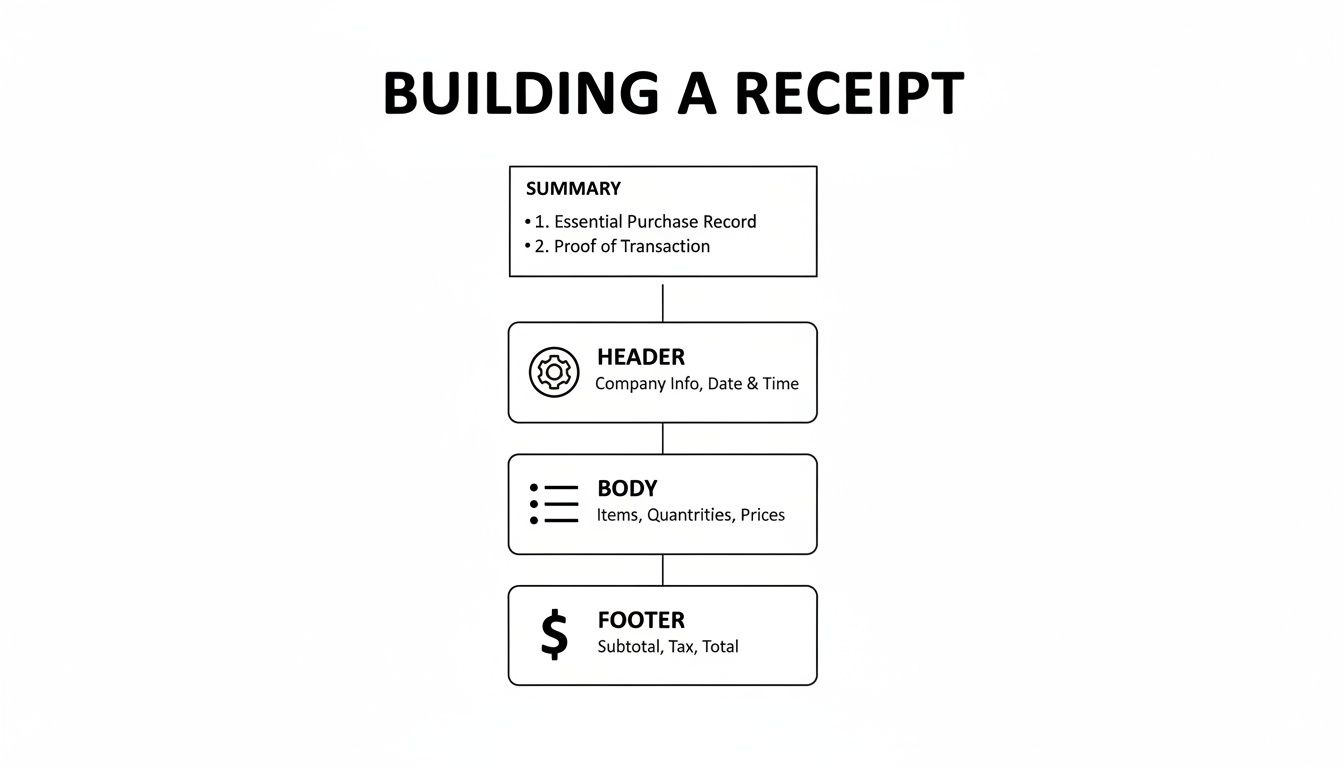
As you can see, every good receipt has a header, a body, and a footer. The magic happens when you customize the information within those sections.
Receipts in the Food and Service Industry
The hospitality and service industries are all about the details, and your receipts need to reflect that. A generic template is a non-starter for a restaurant, café, or bar.
A few must-haves for any food service receipt include:
- Server Name: Adds a personal touch and helps with internal tracking.
- Table Number: Essential for keeping orders and payments organized during a busy shift.
- A Clear Tip Line: The footer should always have separate lines for the subtotal, tax, and a spot for the customer to add a tip.
This same logic applies to any service-based business. An auto mechanic, for example, absolutely must separate parts from labor costs. Listing these as individual line items shows the customer exactly what they're paying for and builds trust. It justifies the total by breaking down the value provided.
When you customize your receipt, you’re not just listing costs; you’re telling the complete story of the value you provided. This builds trust and reinforces your professionalism.
Different industries have evolved their own best practices for receipts based on what information is most critical for their operations and customers. Here's a quick comparison of how a few different sectors approach it.
Industry-Specific Receipt Customizations
See how unique fields and formatting are used to create effective itemized receipts across different business sectors.
| Industry | Essential Custom Fields | Primary Purpose |
|---|---|---|
| Retail | SKU/Product ID, Return Policy, Sale/Discount Details | Inventory Management, Customer Service |
| Restaurant | Server Name, Table Number, Tip Line, Split Bill Option | Operational Efficiency, Service Tracking |
| Services | Breakdown of Labor vs. Materials, Hourly Rate, Project ID | Cost Transparency, Project Management |
| Rideshare | Trip Duration, Distance, Pickup/Drop-off Locations, Rate Type | Fare Calculation, Expense Reporting |
Ultimately, a well-designed receipt communicates clearly to everyone involved, from the customer to your accountant.
This need for detailed cost breakdowns is critical across many professional fields. Itemized receipt templates are widely used in health services, construction, and professional services to provide transparent cost breakdowns for insurance claims or reimbursements. For instance, in the U.S., healthcare providers rely on detailed itemized receipts to efficiently process 80% of insurance claims. You can see more examples of how different businesses use these templates at Bill.com.
By thinking through the unique transaction details of your industry, you can create a receipt template that serves as an effective communication tool, a record-keeping asset, and a reflection of your professional standards.
Mastering Professional Design and Formatting
The information you put on a receipt is non-negotiable, but how it looks is what makes your business seem legitimate and trustworthy. Let’s be honest, a sloppy, hard-to-read receipt can make even a perfectly smooth transaction feel a bit off. To build a template that looks authentic and polished, you need to sweat the small stuff—the details that make all the difference.
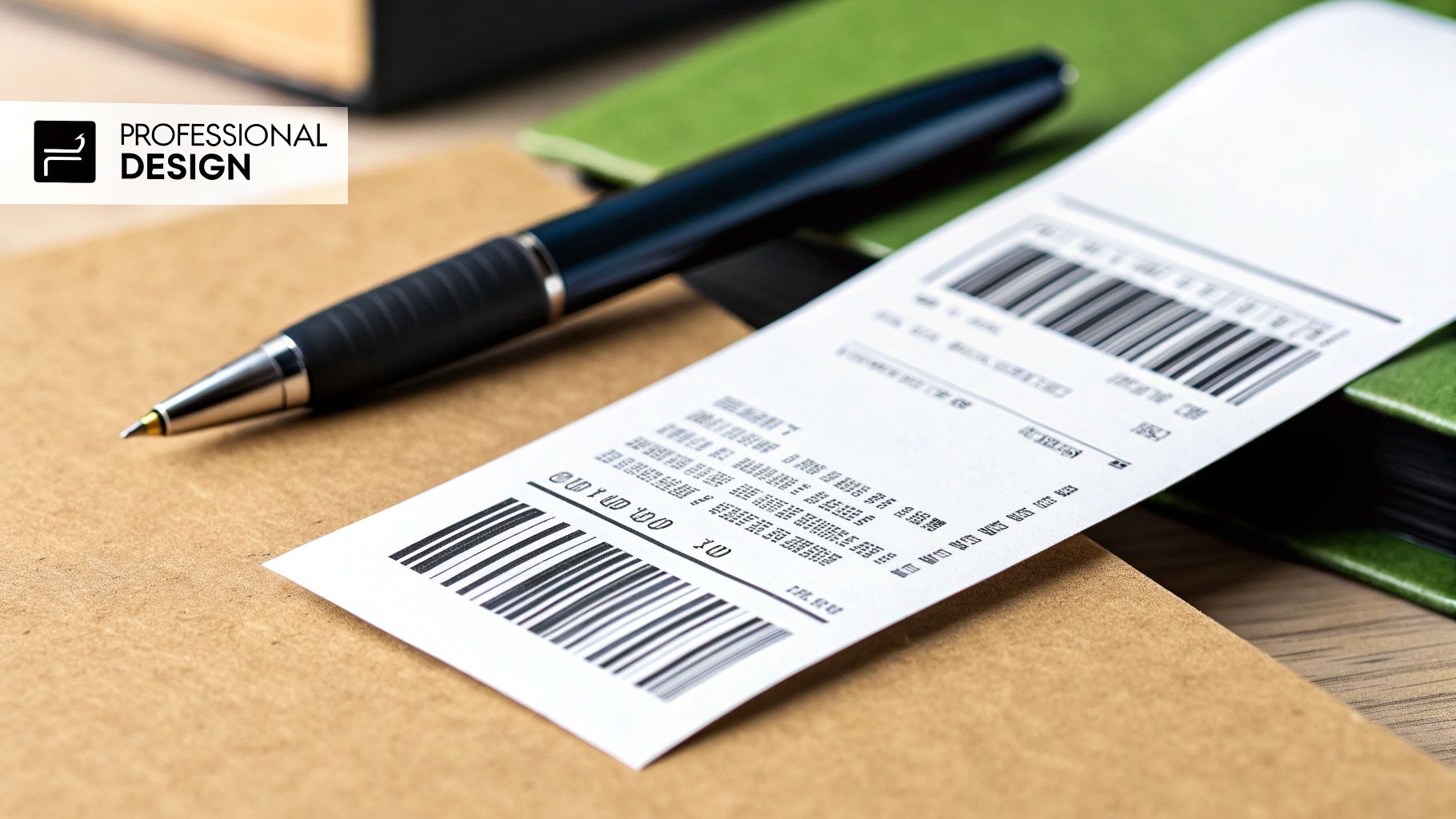
It all starts with the font. Sure, you can use any standard system font, but if you want that genuine receipt feel, pick one that looks like it came from a classic thermal printer. I usually recommend monospace fonts like OCR-A or a clean sans-serif like Lucida Console. These give you that clean, universally recognized look right out of the gate.
Enhancing Visual Authenticity
Beyond just the font, think about the overall texture and feel. Many receipt makers give you options to add subtle paper textures or even a thermal print effect. These might seem like minor details, but they add a layer of realism that makes the document feel less like a generic digital file and more like an actual proof of purchase.
Your logo placement is also a dead giveaway. Stick it at the top center of the header where people expect to see it. And please, make sure the image is high-resolution. A blurry, pixelated logo screams unprofessionalism. As a rule of thumb, your logo should be at least 200 pixels wide for digital receipts to keep it looking sharp on any screen.
A great design isn't just about looking good; it's about creating a document that feels legitimate and trustworthy at first glance. Every element, from font to footer, contributes to that impression.
Finalizing Your Template for Print and Digital Use
Okay, so your design is locked in. Now, how are you going to send it? The two best options are PNG for digital sharing and PDF for anything you need to print.
- PNG (Portable Network Graphics): This is your go-to for emailing receipts or sending them through messaging apps. It keeps the quality high and anyone can open it on any device without needing special software.
- PDF (Portable Document Format): When you need a hard copy, PDF is king. It preserves your formatting perfectly, so what you see on the screen is exactly what comes out of the printer. You can optimize PDFs for standard paper sizes or for 80mm thermal rolls if you’re using a point-of-sale printer.
Don’t forget the finishing touches in the footer. A scannable barcode or QR code adds a modern, professional flair and can even add functionality. This is also the perfect spot for a simple thank-you message or a quick note about your return policy. These final elements turn a simple record of a transaction into a polished piece of your brand.
If you’re looking for some inspiration, check out these itemized receipt examples to see how other businesses pull all these elements together.
Staying Compliant with Legal and Tax Rules
An itemized receipt is far more than a simple record of a sale; it's a legal document. Getting the details right isn't just a good habit—it’s absolutely critical for staying compliant, especially when tax season rolls around. If you don't meet the legal standards, you're setting yourself up for major headaches, from rejected expense claims to serious complications during an audit.
It's often the simplest things that matter most. Every single receipt you create needs a unique receipt number. Think of this as a non-negotiable, sequential ID that creates a clear and traceable audit trail. It's what allows you and your customer to pinpoint a specific transaction for returns, disputes, or just straightforward bookkeeping.
Tax Identification and Rates
Another piece you can't skip is your business's Tax ID. Whether you use an EIN in the United States or a VAT number in Europe, this identifier is what legally ties the transaction back to your company. It's an absolute must for any B2B sales or for customers who need to claim the purchase as a business expense.
Just as important is a crystal-clear breakdown of any taxes. Your itemized receipt template needs separate, distinct lines for the subtotal, the tax rate that was applied, and the final tax amount. Any ambiguity here can cause real problems, as tax authorities demand precise documentation. Keeping everything in order is vital, and our guide on how to organize receipts for taxes has some great, practical tips to help you stay on top of it.
Think of your receipt as evidence. For every deduction you claim, you need clear, compliant proof. A well-structured template ensures that proof is solid, protecting you from potential penalties and questions from tax agencies.
Meeting Global Standards
Compliance rules can also change dramatically depending on where you do business. The global push for digital-first record-keeping has led to specific mandates in many countries. For instance, businesses in Australia are required to provide a receipt for any purchase over AUD $75, while EU regulations mandate VAT-compliant invoices for most business-to-business transactions. You can find more details on these global receipt requirements on Stripe.com.
To make sure you're always on the right side of the law, build these elements directly into your template:
- Your full business name and address to clearly identify who is making the sale.
- The date of the transaction for accurate, chronological record-keeping.
- A detailed list of goods or services to justify every cost listed.
By baking these legal and tax requirements into your itemized receipt template from the start, you create a reliable system. It’s a system that protects your business, makes your accounting infinitely easier, and guarantees every transaction is documented correctly right from the get-go.
Common Questions About Itemized Receipts
Even when you've got a great template, you're bound to have questions. Getting these details right is crucial for using your receipts confidently, whether it's for expense reports or your own bookkeeping. Let's clear up some of the usual sticking points so you can handle your financial documents like a pro.
One of the biggest mix-ups I see is between an itemized receipt and an invoice. They look similar, listing out products and services, but they play completely different roles. Think of it this way: an invoice is a request for payment—it's the bill you send before you get paid. A receipt is a proof of payment, the "thank you" you give after the money is in your hand.
Are Digital Receipts Valid for Tax Purposes?
Yes, absolutely. Tax agencies like the IRS have no problem with digital or electronic receipts, provided they have all the essential info. As long as it clearly shows the business name, date, a line-by-line description of what was bought, the total amount, and how it was paid, you're golden.
A clean digital receipt generated from your template is every bit as valid as a paper one. Honestly, they're often better. Digital records are a lifesaver when it comes to organizing, storing, and finding what you need, which makes tax season (or an audit) a whole lot less painful.
The real test isn't about paper versus digital. It's about whether the document provides a complete and accurate record of the transaction. A clear digital receipt beats a faded, crumpled paper one every single time.
Recreating a Lost Itemized Receipt
We've all been there—that sinking feeling when you realize a crucial receipt is missing. Don't panic. You can often recreate it, but the key is to be honest and meticulous. This is where having a good itemized receipt template really pays off.
If you need to reconstruct a lost receipt for your records, here's how to do it the right way:
- Find Your Proof of Purchase: Your first stop is your credit card or bank statement. This will lock down the date, vendor, and the total amount paid.
- Jog Your Memory: Do your best to recall exactly what you bought. The more specific you can be, the better.
- Use Your Template: Plug all the information you've gathered into your itemized receipt template. To be completely transparent, it’s a good practice to label it clearly as a "Recreated Receipt" or "Duplicate."
Following these steps gives you a legitimate document for your records. You're simply making an honest effort to reconstruct a factual transaction, which is perfectly fine for most expense reporting and tax purposes. Just make sure everything is based on verifiable proof.
Ready to create professional, compliant receipts in seconds? With over 100 industry-specific designs, ReceiptMakr gives you the power to customize every detail for a perfectly authentic look. Start creating for free at https://receiptmakr.com.