Your Guide to Getting Copies of Receipt When You Need Them Most
Lost a receipt? Learn proven ways to get copies of receipt from stores, banks, or how to create a legitimate replacement for your expense tracking.
Losing a receipt can feel like a small disaster, especially when you need it for a return, a warranty claim, or an expense report. That tiny piece of thermal paper suddenly becomes incredibly important. But don't panic. A lost original doesn't have to be a dead end.
You can often get a duplicate from the store, pull proof of purchase from your bank statement, or even create a legitimate record for your files. It’s all about knowing your options and having the right information on hand.
Why You Need a Solid Plan for Receipt Copies
We've all been there—rummaging through pockets, wallets, or the car's glove box, searching for a receipt that stands between you and a successful return. That frantic search can quickly turn a minor hassle into a real financial headache.
As more of our transactions go digital, having a reliable way to track them has never been more important. This isn't just a hunch; the digital receipts market is booming, expected to jump from USD 1.732 billion to a staggering USD 9.145 billion by 2035. This massive growth shows a clear trend: both people and businesses are ditching fragile paper receipts for something more durable. You can dive deeper into this shift toward digital receipt adoption on marketresearchfuture.com.
Real-World Scenarios Where Copies Are Crucial
Think about how often this comes up in real life:
- The Faulty Gadget: Those new headphones you bought a few weeks ago? They just died. Without the original receipt, you're out of luck for a warranty claim. A copy is your only way to get a replacement.
- The Business Lunch: You treated a client to lunch and need to get reimbursed, but the paper receipt got tossed with the takeout bag. A duplicate is the only thing your accounting department will accept.
- The Tax Deduction: That new desk for your home office is a legitimate tax write-off, but you can't find the proof of purchase anywhere. Having a clean record is crucial for accurate and defensible tax filing.
A system for managing your purchase records isn't just about being tidy. It's a cornerstone of smart financial management, both for your personal life and your business.
This guide will walk you through the best ways to get copies of your receipts. We’ll cover everything from contacting stores and using bank statements to legitimately recreating a lost receipt for your own records. For a deeper dive into why this matters so much, check out our guide on what is expense management.
How to Ask a Business for a Copy of a Receipt
Ever have that sinking feeling when you realize you’ve lost a crucial receipt? We’ve all been there. Fortunately, getting a copy from a business is usually possible, but your success really depends on how you approach it.
Just showing up and asking for "a receipt from last month" is a recipe for frustration—for both you and the staff. To get what you need quickly, you have to do a little prep work first.

The trick is to make it incredibly easy for an employee to find your transaction in their point-of-sale (POS) system. Your mission is to give them enough information to pinpoint that one specific purchase out of thousands.
Gather Your Transaction Details
Before you even think about calling or emailing, play detective for a few minutes. Most modern POS systems have powerful search filters, but they're only as good as the information you plug into them.
Here’s the essential information you should have on hand:
- Exact Date of Purchase: This is non-negotiable. It’s the first thing they’ll ask for.
- Approximate Time: Even a general window, like "sometime between 1 PM and 2 PM," is a huge help.
- Total Amount: The exact final price is a golden ticket for finding the transaction.
- Payment Method: Was it a credit card, debit card, or maybe a digital wallet like Apple Pay?
- Last Four Digits of Your Card: If you paid by card, this is often the fastest way for a merchant to pull up the record.
With these details, you're not asking them to find a needle in a haystack—you're basically handing them a magnet. It changes the entire dynamic of the request.
Communicating Your Request Effectively
Now that you're armed with the facts, it's time to reach out. Your tone and timing can make a world of difference. Whether you're in person, on the phone, or sending an email, always be polite, clear, and get straight to the point.
Lead with what you need and immediately follow up with the details you gathered. This signals that you respect their time and have already done your part to make their job easier.
Pro Tip: If you're going to the store in person, try to avoid their busiest times. A cashier will be far more willing and able to help you on a quiet Tuesday afternoon than during the chaos of a Saturday lunch rush.
Here’s a simple, effective email template you can adapt.
Email Template Example
Subject: Request for a Receipt Copy - Purchase on [Date of Purchase]
"Hi [Store Name] Team,
Hoping you can help me out. I need a copy of a receipt from a recent purchase for my expense report.
Here are the transaction details:
- Date: [Date]
- Approximate Time: [Time]
- Total Amount: $[Amount]
- Payment: Visa ending in [Last Four Digits]
Would it be possible to email a copy to me? I really appreciate your help with this.
Thanks so much,
[Your Name]"
This script works because it's direct and gives them everything they need in a clean, scannable format. You’ve made it simple for them to find your copies of receipt and resolve your request without a lot of back-and-forth.
Using Bank Statements as Proof of Purchase
So, the merchant can’t find a record of your sale. It feels like hitting a brick wall, but don't give up just yet. Your next best option is probably already in your pocket or sitting on your computer. Your bank or credit card statement can be a surprisingly powerful tool and often works as a valid proof of purchase.
This works because just about every transaction we make leaves a digital trail. The explosion in digital payments has been staggering—global revenue is on track to blow past USD 3 trillion. Since credit and debit cards account for over 40% of all online payments worldwide, there's an excellent chance your purchase is clearly documented somewhere. You can dig deeper into global digital payment trends on ystats.com to see just how widespread this is.
How to Find and Use Your Statement
Getting your hands on this proof is usually pretty simple. Just log into your online banking portal or credit card account. From there, head to your account activity or statements section. You should be able to filter by date to pinpoint the exact transaction you're looking for.
Once you find it, you can almost always download a PDF of the monthly statement or even a detailed view of that specific transaction. This document is gold because it contains the essentials:
- The merchant's name
- The exact date of the transaction
- The total amount charged
This trifecta of information is often all you need to prove you made a specific purchase on a certain day, making it a solid substitute for a lost paper receipt.
Key takeaway: A bank statement proves you paid. It doesn't show what you bought. Its real power is in confirming the "when," "where," and "how much" of a transaction.
Understanding the Limitations
While incredibly useful, let's be clear: a bank statement isn't a perfect replacement for a fully itemized receipt. It tells the financial side of the story but leaves out the crucial details.
For instance, a statement won't show:
- Specific items purchased: It will say you spent $75 at a hardware store, but not that you bought a hammer, nails, and paint.
- Sales tax breakdown: You’ll only ever see the final, total amount that hit your card.
- SKU or model numbers: This is the kind of information that can be absolutely critical for specific warranty claims or certain product returns.
Because of these gaps, a bank statement is best used when an itemized list isn't a deal-breaker. Think of it as a strong piece of supporting evidence rather than the whole story.
When a Bank Statement Is Enough
So, when can you get by with just a bank statement? It really shines in more straightforward situations.
For example, many companies will happily accept a bank statement for a warranty claim on a big-ticket item like a TV or a refrigerator, especially if the purchase price on the statement clearly matches that one product. It's also a common go-to for business expense reports where the context is obvious, like a meal at a restaurant or a fill-up at a gas station.
When you're trying to get copies of receipt and the original is truly gone, your bank statement provides a simple, official record that can save the day.
Recreating a Lost Receipt for Your Records
So, you've called the store, dug through your emails, and scoured your bank statements, but that one crucial receipt is still missing. What now? In some cases, particularly for expense reports or meticulous personal bookkeeping, you might need to recreate a record of a legitimate purchase.
Let's be crystal clear: this is about accurately documenting a real transaction when the original paper trail has vanished. We are not talking about fabricating a purchase that never happened—that's fraud. The goal here is simply to translate verified financial data from your bank statement into a standard receipt format for your files.
Your Bank Statement is the Ground Truth
When a paper receipt is gone, your bank or credit card statement becomes the undisputed source of truth. It contains the hard facts of the transaction: the merchant's name, the date, and most importantly, the exact amount charged. These three details are the foundation of your recreated receipt.
You can use an online receipt-making tool to plug this information into a professional-looking template. This ensures you don't miss any standard fields and the final document is clean and easy to read.
The process of using your bank statement as proof is pretty straightforward: you log into your online banking, find and download the relevant statement, and then use that data to build your record.
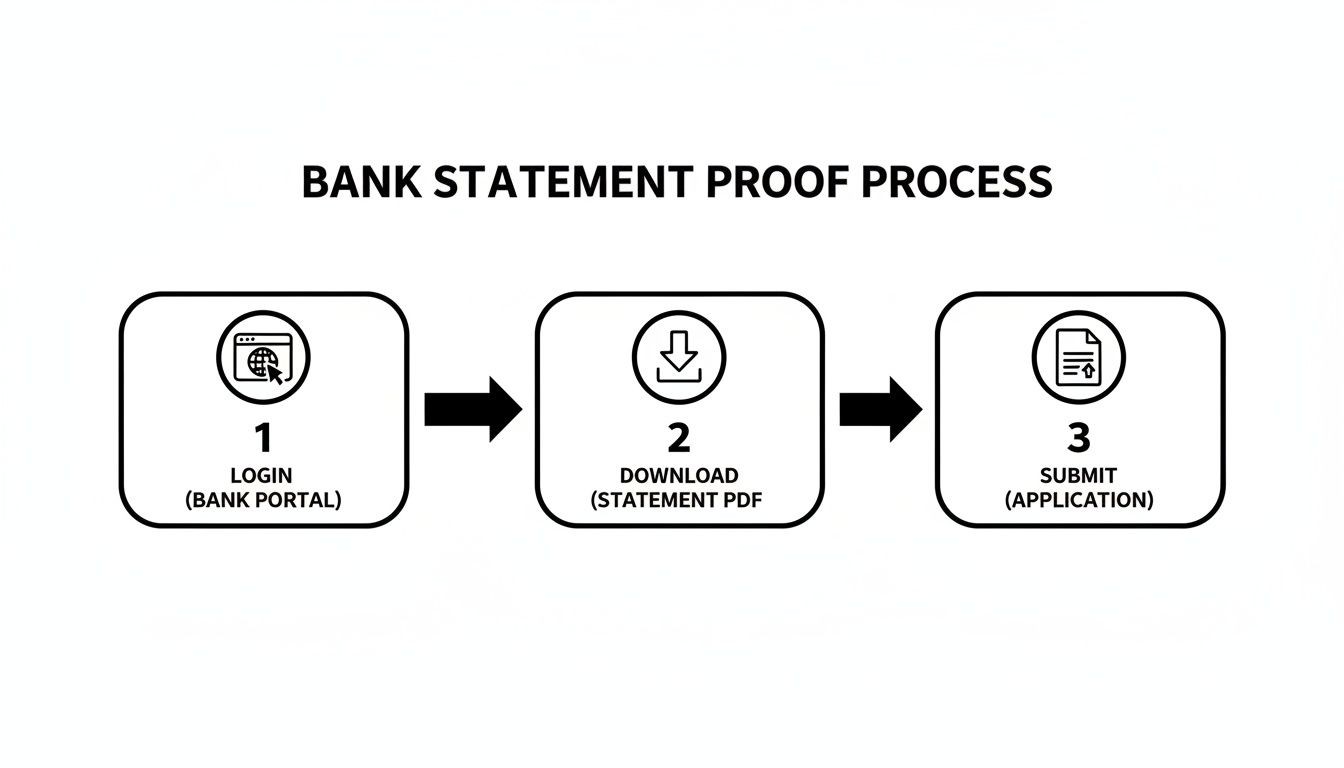
This simple flow shows how your bank already has the core proof you need. You're just presenting it in a more familiar format.
First, you'll need the merchant's details. A quick search on Google Maps or the store’s website should give you the correct name, address, and phone number. Getting these details right is the first step to making the document credible.
A Quick Word on Ethics: Remember, the whole point of this is to create an accurate record for bookkeeping, not to deceive anyone. Always act with integrity and make sure the document you create is a faithful representation of a real transaction.
Next comes the part that requires a bit of memory: the line items. Do your best to recall exactly what you bought. If your statement shows a $75.30 charge from a hardware store, try to list the specific items—a can of paint, some brushes, and a roll of tape, for instance.
The math has to be perfect. The subtotal of your items, plus any sales tax, must add up to the exact total on your bank statement. If it doesn't match, it’s an immediate red flag that undermines the entire document.
Getting the Final Details Right
With the core information locked in, a few finishing touches will make your recreated receipt look complete and professional.
- Payment Details: Note how you paid. Was it a Visa, a debit card, or something like Apple Pay? If you can, include the last four digits of the card used.
- Sales Tax: You'll need to add the correct sales tax. If you're not sure of the rate, a quick search for "[City Name] sales tax rate" will usually give you the answer.
- Transaction ID: Many receipt makers let you add a receipt or transaction number. You can create a simple one yourself, like the date followed by a few numbers (e.g., 20240915-001).
If you want to see how different layouts work and find one that suits your needs, take a look at our guide on using a free online receipt template. It walks you through different options to get the format just right.
Let's be honest, the best way to get a copy of a receipt is to never lose it in the first place. I know, "proactive management" sounds like a total drag. But it's not about creating more work—it's about saving yourself from a massive headache down the line. With the right tools, you can automate most of it and turn a dreaded chore into a simple, two-second habit.
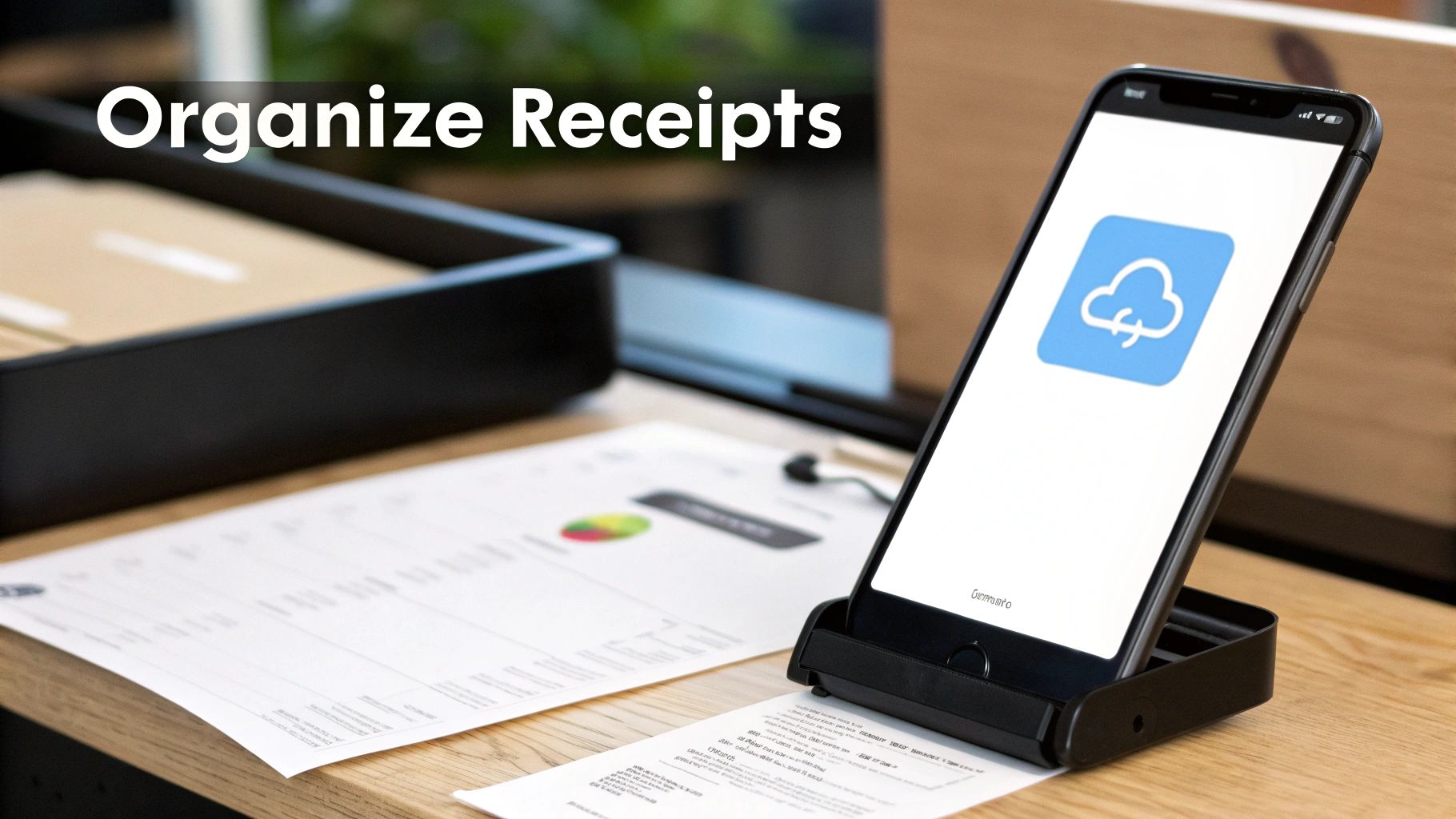
The trick is to go digital, and do it immediately. The second a paper receipt lands in your hand, its countdown to being lost, crumpled, or faded begins. Don't stuff it in your wallet or a random pocket. Make it a reflex to capture it digitally right then and there.
Adopt a Scan-and-Shred Mentality
Your smartphone is your best friend here. Mobile scanning apps have gotten surprisingly good, letting you create a crystal-clear, searchable PDF in just a few taps.
- Find an App That Works for You: Look for one that plays nice with your cloud storage, whether that's Google Drive, Dropbox, or a notes app like Evernote. You'll want features like automatic edge detection and image enhancement to make the scans look professional.
- Build the Habit: The key is to do it right away. Scan the receipt while you're still at the counter or the moment you get back to your car. Once you've double-checked that the digital copy is clear and saved, you can toss the paper version without a second thought.
This isn't just about decluttering your wallet. It’s about turning a flimsy piece of paper into searchable data. Suddenly, finding that one specific purchase from eight months ago is a simple keyword search away. If you're getting serious about this, our guide on how to organize receipts for taxes takes these ideas even further.
Let Cloud Storage and Automation Do the Heavy Lifting
Once you've scanned a receipt, it needs a permanent, organized home. A dedicated folder in your go-to cloud service is the perfect solution. A simple setup might be a main folder called "Receipts" with subfolders for each year—"2024," "2025," and so on.
Your goal is to build a digital filing cabinet that's far more organized, secure, and accessible than any physical one could ever be. You’ll have every proof of purchase available from anywhere, on any device.
Businesses are catching on, too. With 64% of U.S. consumers now using a smartphone while shopping in-store, more merchants are offering to email or text your receipt. These digital-first options are a gift because you can automate them. You can dive deeper into these mobile shopping trends from Visa.
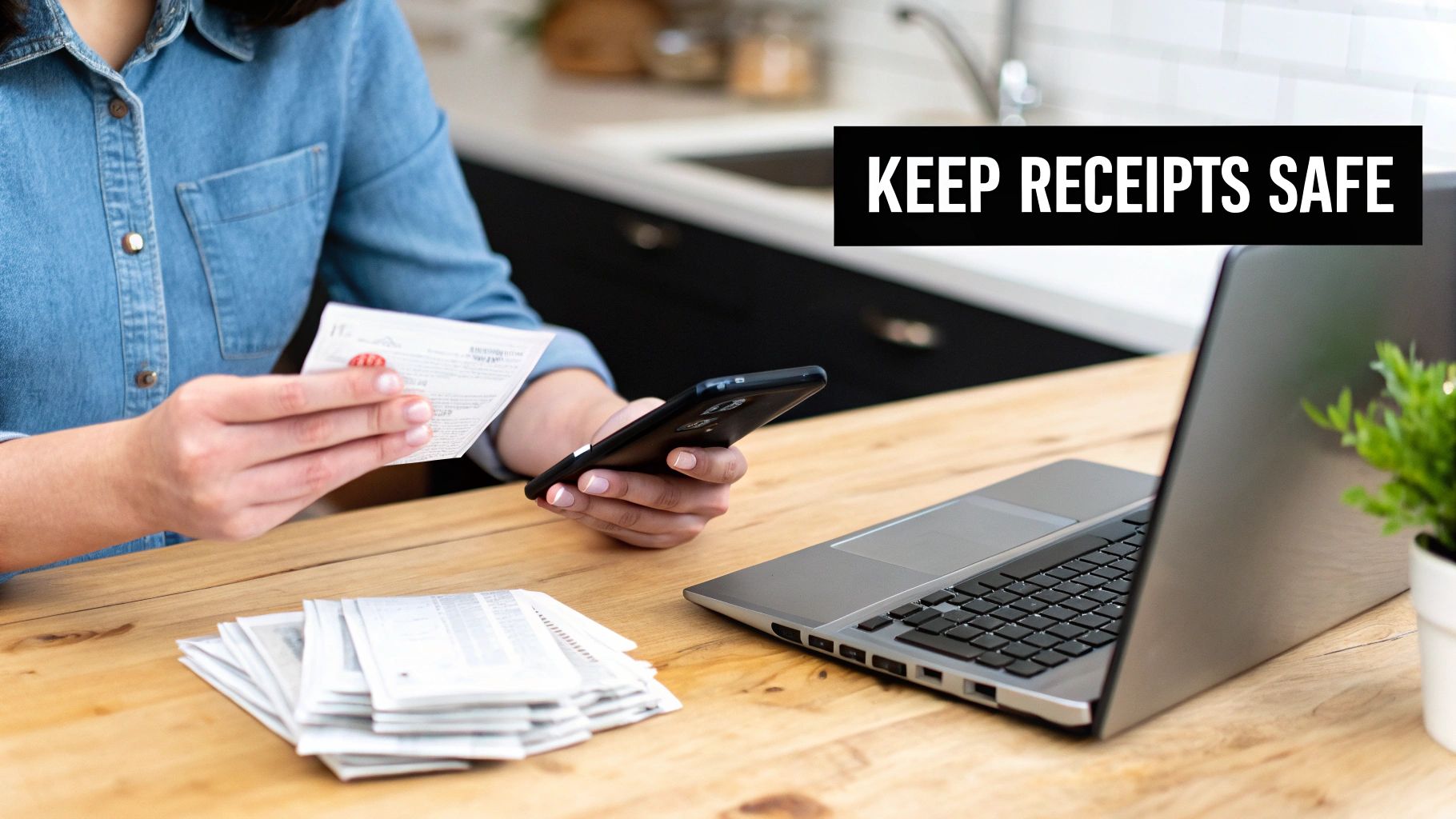
Take five minutes to set up an email filter that automatically sends any message with the word "receipt" or "invoice" to a specific folder. This little bit of setup ensures no digital receipt ever gets buried in your main inbox. By combining instant scanning with smart automation, you create a rock-solid system that keeps perfect copies of receipt ready whenever you need them, minus all the manual effort.
Common Questions About Receipt Copies
Even with the best system in place, you're bound to run into some tricky situations with receipts. It happens to everyone. Let's walk through some of the most common questions that pop up, so you have clear answers ready when you need them.
Think of this as your quick-reference guide for those "what if" moments. We'll clear up any lingering confusion and make sure you feel confident handling whatever receipt challenge comes your way.
Is It Legal to Create a Copy of a Receipt?
This is the big one, and the answer comes down to one simple thing: your intent.
Yes, it is perfectly legal to create a copy of a receipt for your own records. If you’re just making a duplicate of a lost receipt to accurately report a real business expense or keep your files in order, you're in the clear.
The line is crossed when you move into fraud. Forging a receipt for an expense you never actually paid for, or creating one to return an item you never bought, is illegal. The key is to be honest. As long as your copy is a faithful representation of a real transaction, you're on solid ground.
How Long Do Stores Keep Purchase Records?
There’s no single answer here, as the time a business keeps transaction records can vary wildly.
- Large Retailers: Think big-box stores and national chains. They usually have advanced point-of-sale (POS) systems that can hold onto purchase histories for several years. With the right payment info, they can often pull up old transactions without much trouble.
- Small Businesses: Your neighborhood boutique or local cafe is a different story. They might only keep records for a few months or just long enough to get them through the tax year.
A Pro Tip from Experience: The second you realize a receipt is gone, make the request. Time is not on your side, and your chances of getting a copy drop with each passing day, especially with smaller shops.
Will a Bank Statement Work for a Warranty Claim?
In many cases, yes. A bank or credit card statement is often a perfectly good substitute for a warranty claim. Most manufacturers understand that paper receipts vanish. A statement showing the merchant’s name, the purchase date, and the amount is usually solid proof you bought the item from an authorized seller.
But don't assume this is always the case. It's smart to double-check the manufacturer's specific warranty terms. Some policies are strict and demand an itemized receipt to confirm the exact model number, which means a bank statement alone won't cut it.
What If I Paid with Cash?
This is, without a doubt, the toughest situation to be in. When you pay with cash, you leave no digital trail. There's no credit card number or customer profile for the store to search—nothing that ties you directly to that specific sale.
Your only real shot is to give them the exact date and time of your purchase and hope their system can pull up a transaction log from that specific moment. Honestly, it's a long shot. This scenario really drives home the value of using a card or getting a digital receipt; that built-in record is your safety net when the paper copy goes missing.
Frequently Asked Questions
Still have a few questions? Here are some quick answers to other common queries we hear all the time.
| Question | Answer |
|---|---|
| Can I get a receipt copy without the original card? | It's difficult but not impossible. If you can provide the exact date, time, and total amount of the transaction, some stores might be able to locate it. Having the last four digits of the card number is a huge help. |
| Are digital receipt copies as valid as paper ones? | Absolutely. The IRS and most businesses treat digital copies (like scans or photos) and original paper receipts as equally valid, as long as they are clear, legible, and contain all the necessary information. |
| How long should I keep copies of my business receipts? | The IRS generally recommends keeping records for 3 years from the date you filed your original return. However, some circumstances may require you to keep them for up to 7 years. It's always best to consult with a tax professional. |
| Can a store refuse to give me a copy of a receipt? | While most stores are happy to help, they are not legally obligated to provide a copy. Their ability to do so depends on their record-keeping system and company policy. Being polite and having specific details will improve your chances. |
Hopefully, this clears things up! Being prepared with this knowledge can save you a lot of headaches down the road.
Need to create an accurate record of a legitimate but lost receipt? Receipt Makr offers over 100 professional templates to help you document your expenses properly. Generate, customize, and export a perfect copy for your records in seconds. Try it for free.