What Is Expense Management A Guide to Smarter Spending
Discover what is expense management and how to build a system that saves time, cuts costs, and boosts efficiency. Learn the key policies, tools, and workflows.
Expense management is the system a company uses to process, pay, and audit employee-initiated expenses. But that’s a bit of a textbook definition. In reality, it's the framework of policies, rules, and tools that governs every dollar your team spends on the company's behalf—turning what can be financial chaos into clear, usable information.
What Is Expense Management in Simple Terms
Let's break it down with an analogy. Think of every purchase your team makes—a client lunch, a new software tool, a flight for a conference—as a single piece of mail. Without a system, all that mail gets tossed into a shoebox. Receipts get lost, approvals are a guessing game, and you have no real clue where your money is going until you dump the whole box out and sort it by hand. That's the old, manual approach, and it’s a massive headache for everyone.
Now, imagine a smart, digital mailroom instead. Every time a purchase happens, that piece of "mail" is instantly scanned, sorted into the right folder, and routed to the right person for a quick signature. That’s modern expense management. It’s like the financial nervous system of your business, connecting every spending decision to a clear, organized workflow.
The Old Way Versus The New Way
The difference between the shoebox and the smart mailroom gets right to the heart of what a good expense management system solves. The manual method is a tangled mess of paper receipts, cumbersome spreadsheets, and endless email threads chasing down approvals.
It’s not just messy; it’s expensive. The Global Business Travel Association found that an average of 19% of manual expense reports have errors. Fixing each one costs around $52 and takes another 18 minutes of someone's time. That lost time and money adds up faster than you’d think.
An automated system, on the other hand, uses technology to do all the tedious work for you. Its entire purpose is to make the process transparent, fast, and compliant from the moment a purchase is made to the final report.
A strong expense management system isn't just about cutting costs. It's about giving your business the visibility it needs to make smarter financial decisions on the fly. It turns a reactive, administrative chore into a proactive, strategic advantage.
Let's compare the two approaches side-by-side to see the real difference it makes in your day-to-day operations.
Manual vs. Automated Expense Management At a Glance
This table shows the real-world differences between sticking with spreadsheets and shoeboxes versus upgrading to a smart, automated system.
| Process | The Manual Method | The Automated Method |
|---|---|---|
| Receipts | Collecting, taping, and scanning paper receipts. Prone to getting lost. | Snap a photo with a phone. The app reads and auto-populates the data. |
| Reporting | Manually entering data line-by-line into a spreadsheet. | Reports are built automatically as expenses are captured. |
| Approvals | Chasing managers via email or in person. Long delays are common. | Instant notifications are sent to approvers for one-click review. |
| Compliance | Managers have to memorize policies and check each line item manually. | The system automatically flags out-of-policy spending instantly. |
| Reimbursement | A slow, manual process that often takes weeks to complete. | Direct deposit is often triggered as soon as the report is approved. |
| Data & Insights | No real-time visibility. You only know what was spent after the fact. | Real-time dashboards show spending patterns as they happen. |
The takeaway is clear: automation isn't just about convenience; it's about accuracy, speed, and giving you back the time to focus on what actually matters.
Core Functions of Expense Management
At its core, any good expense management system—whether it’s for a freelancer or a Fortune 500 company—is built on four key pillars that work together.
Policy and Rules: This is your rulebook. It clearly defines who can spend what, on what, and what the spending limits are.
Capture and Submission: This is how spending information gets into the system. It could be as simple as an employee snapping a photo of a receipt with their phone or forwarding an email invoice.
Approval and Verification: This is the digital chain of command. It's where managers can quickly review and approve expenses, with the system automatically checking them against the company's policies.
Reimbursement and Reconciliation: This is the final step. Employees get their money back quickly, and all the spending data is seamlessly synced with your accounting software.
Understanding how these pieces fit together is the key to seeing what is expense management for what it truly is: a dynamic process that brings order and intelligence to a critical part of your business.
The Five Pillars of a Strong Expense Management System
A solid expense management system isn't just a piece of software you install and forget. It's a complete framework built on five interconnected pillars. Each one supports the others, and if one is shaky, the whole structure can start to feel wobbly.
Think of it like building a house. You need a solid foundation, sturdy walls, and a protective roof—they all have to work together. In the same way, these five components—policy, capture, approval, reimbursement, and reporting—form the blueprint for managing company spending the right way.
Let’s break them down one by one.
Pillar 1: Clear Expense Policies
First things first: you need an expense policy. This is the rulebook that governs all company spending, and it’s the most critical piece of the puzzle. It takes the guesswork out of the equation for your team and gives managers a clear, fair standard to follow.
A good policy doesn't have to be a hundred pages of legalese. It just needs to be clear, easy to find, and applied consistently.
It should cover the basics, like:
- What's reimbursable: Spell out what people can spend money on, from client lunches and software subscriptions to travel and home office supplies.
- Spending limits: Set reasonable caps for different expenses, like a daily meal allowance or a maximum nightly hotel rate.
- Documentation rules: Be specific about what you need. Is a simple receipt photo enough, or do you need an itemized one? Does a purchase need a business justification?
Without this foundation, everything else becomes a free-for-all, leading to confusion, frustration, and inconsistent decisions.
Pillar 2: Effortless Expense Capture
Once the rules are in place, you need a way to get the spending data into your system. This is expense capture. We've all been there—shoving a wallet full of faded paper receipts into a shoebox, only to spend hours manually typing them into a spreadsheet. Thankfully, those days are over.
Modern systems make this step practically invisible. Employees can just snap a photo of a receipt with their phone, and technology like Optical Character Recognition (OCR) pulls out the key details automatically—the vendor, date, and total amount. This doesn't just save a ton of time; it also helps slash the 19% error rate that plagues manual expense reports.
Of course, receipts still get lost. Imagine a consultant pays for a client lunch with cash and the little paper slip vanishes. To make sure they can bill the client correctly, they still need a record of that transaction. This is where creating a detailed receipt becomes crucial. For example, using an online tool to generate an itemized sales receipt can fill that gap, ensuring the report is complete and ready for processing.
Pillar 3: Smart Approval Workflows
With expenses neatly captured, they need to get approved. This third pillar, smart approval workflows, is the digital chain of command that sends each expense report to the right manager for a sign-off. The old way—endless email chains or leaving a stack of papers on someone’s desk—creates bottlenecks that can hold up reimbursements for weeks.
Automated workflows fix this by instantly pinging the right person. Better yet, the system does the first round of checks for them.
The software acts as a gatekeeper, automatically flagging any expense that breaks a rule in the policy. This means managers can stop checking every single line item and focus their energy only on the exceptions.
This simple shift frees up managers from tedious admin work and lets them make faster, more confident decisions.
This diagram shows how a well-structured system flows, starting with management setting the rules and ending with a smooth reimbursement process.
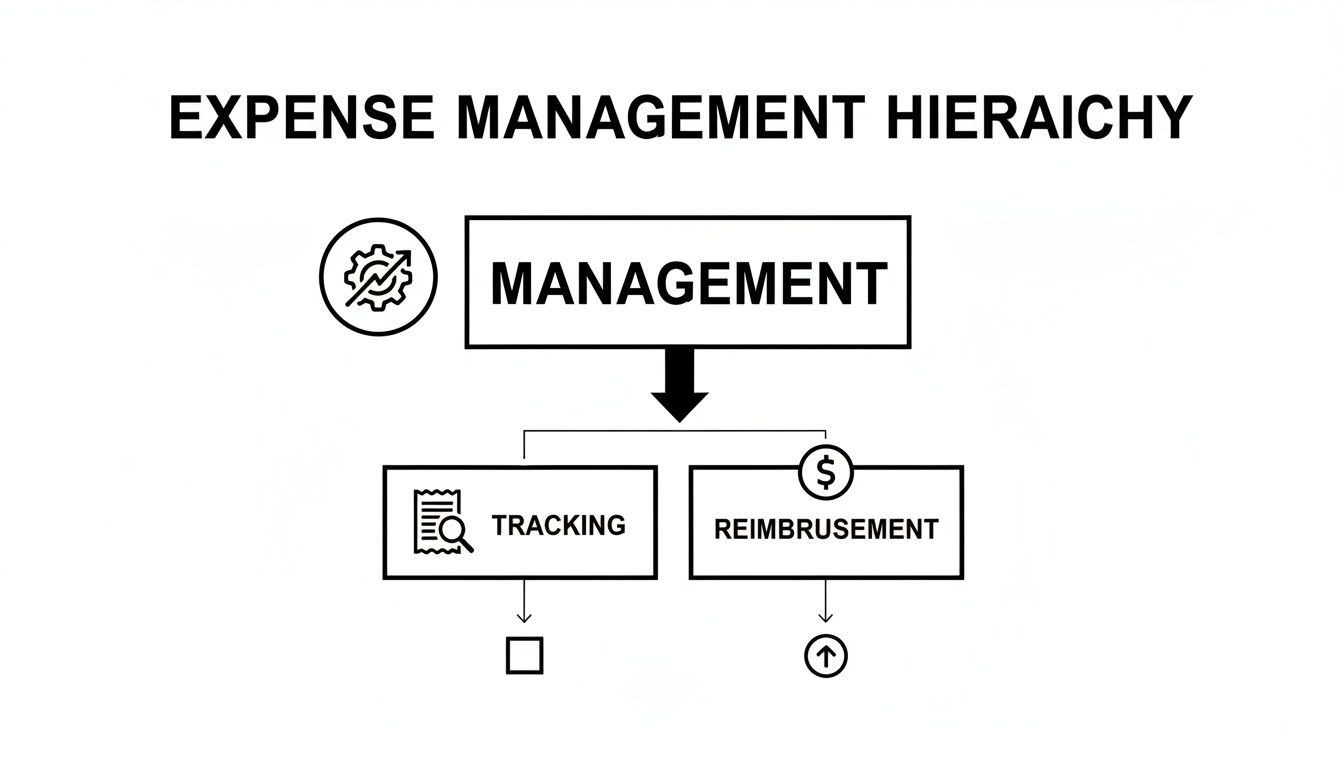
As you can see, good management kicks things off, which leads to consistent tracking, and finally, fair reimbursement. It's a cycle.
Pillar 4: Prompt Reimbursement
The fourth pillar is all about prompt reimbursement. This one is huge for employee morale. When people spend their own money for work, they expect to get it back quickly. Slow, unreliable payments are a major source of frustration and can make employees feel like they aren't valued. It's no surprise that nearly half of all employees get annoyed by slow approval processes.
An automated system links approvals directly to payments. As soon as a report gets the final green light, the system can kick off a direct deposit to the employee’s bank account, often in just a couple of business days. This speed doesn't just keep your team happy; it also encourages them to submit expenses on time, which gives you a more accurate picture of your finances.
Pillar 5: Insightful Reporting
The final pillar is what turns expense management from a chore into a strategic advantage: insightful reporting. Every single receipt and approved report feeds into a treasure trove of data about how, where, and why company money is being spent.
This gives you a real-time view that was simply impossible with spreadsheets. With just a few clicks, your finance team can:
- Drill down into spending by department, project, or even a specific vendor.
- Spot trends and find new ways to save money.
- Keep an eye on budgets across the entire company.
This is the part that closes the loop. The insights you get from these reports help you go back and refine your expense policies, making the whole system smarter and more efficient over time.
Why Smart Expense Management Is a Business Superpower
It’s one thing to know the nuts and bolts of expense management, but it's another thing entirely to see what it can really do for your business. A well-oiled system isn't just about tidier books or less paperwork. It's a genuine strategic advantage that fuels growth, sharpens decision-making, and builds a happier, more productive team. This isn't just admin work; it's a proactive tool.
For small businesses and startups, where every dollar and every minute counts, these benefits are even more critical. A smart system becomes an engine for sustainable growth, not just another cost center.
Gain Crystal-Clear Financial Visibility
Trying to track company spending without a proper system is like driving in a thick fog. You can only see what’s right in front of your headlights—an individual receipt here, an expense report there—but you have no idea what the road looks like ahead. This makes it impossible to make quick, informed financial decisions.
A modern expense management system lifts that fog. It gives you a real-time dashboard of your company's financial health, showing you exactly where the money is going, as it's being spent.
Think of a founder who notices her marketing team is about to blow through its quarterly travel budget. With live data, she can jump in and have a conversation about shifting funds or finding a more cost-effective way to get to that upcoming conference. That kind of agility prevents budget overruns and keeps the company on solid financial ground—something you could never do with a shoebox full of receipts.
Unlock Major Cost Savings
Every business wants to cut wasteful spending, but you can't fix what you can't see. Smart expense management acts like a magnifying glass, bringing patterns and duplicate expenses into sharp focus that would otherwise fly under the radar.
When all your spending data is in one place, you can instantly spot opportunities to save. Are three different departments all paying for the same software subscription? Are you consistently overpaying for last-minute flights with a specific airline? This information gives you the power to consolidate those subscriptions, negotiate better rates with vendors, or tweak your travel policy to be more economical.
A well-implemented expense management system doesn't just track spending; it actively helps you reduce it by turning raw data into actionable cost-saving strategies. It’s the difference between simply recording history and shaping your financial future.
Boost Team Morale and Productivity
Nothing kills employee morale faster than a clunky, frustrating reimbursement process. When people have to front their own money for business costs and then wait weeks—or even months—to get it back, it creates real financial stress. It also sends a terrible message: that their time and money aren't a priority.
Reimbursement delays are a massive headache. In fact, a whopping 47% of employees get frustrated by slow and confusing approval processes. On the flip side, businesses that automate these workflows see huge improvements, cutting down processing times by 60% and overall costs by 35%. You can dig deeper into how automation impacts satisfaction by reviewing key expense management trends.
A streamlined system shows your team you respect them. Quick, predictable reimbursements build trust and loyalty. More than that, when someone can snap a picture of a receipt and submit an expense in 30 seconds from their phone, you've just given them back the hour they would have spent wrestling with a spreadsheet. That productivity boost, spread across your entire organization, is one of the biggest wins of all.
Choosing the Right Tools for Your Business
The right tool can completely transform your expense management process, turning it from a headache into a real asset for your business. Gone are the days of shoeboxes overflowing with faded receipts. Today's software and automated workflows are built to handle the heavy lifting, with options for everyone from a solo freelancer to a growing team. The key is finding the perfect fit for how you operate.
A freelancer's main goal is usually simplicity and accuracy. You just need to capture receipts for tax season and maybe bill a few expenses back to clients. A straightforward mobile app with a solid receipt scanner is often all it takes to stay on top of things. But for a small business with even a handful of employees, the needs are different. You’ll want a more comprehensive platform that can enforce spending policies, manage approvals, and handle reimbursements automatically.

It all comes down to matching the tool's features to your business's complexity. Let's dig into the options and see how they work in the real world.
Different Tools for Different Needs
Not all expense management tools are cut from the same cloth. They can range from a single-function app to a complete, integrated system. Getting familiar with the main categories will help you zero in on what you actually need.
- Standalone Receipt Scanners: Perfect for individuals. These apps use your phone's camera and Optical Character Recognition (OCR) to pull the data right off a receipt, saving you from typing it all out.
- Bookkeeping Software Add-Ons: Most popular accounting platforms like QuickBooks or Xero have built-in expense tracking modules. These are great if you want to seamlessly connect employee spending to your main financial books.
- All-in-One Expense Management Platforms: These are the powerhouses designed for teams. They bundle everything—receipt scanning, policy controls, approval chains, and reimbursements—into one smooth workflow.
The goal is to find a tool that solves your biggest pain points without overcomplicating your process. A freelancer doesn't need a complex approval workflow, and a growing business will quickly outgrow a simple scanner app.
To figure out what's right for you, start by mapping out your current process. Where are the bottlenecks? Is it lost receipts? Chasing down managers for approvals? The right tool will be the one that directly tackles those frustrations.
Finding Your Perfect Expense Management Tool
This table breaks down the different tool types to help you decide which one aligns best with your business, whether you're a one-person shop or managing a growing team.
| Tool Type | Ideal For | Core Features | Example Use Case |
|---|---|---|---|
| Standalone Scanner Apps | Freelancers, Solopreneurs | Receipt scanning (OCR), basic categorization, digital storage | A freelance designer snaps photos of receipts for art supplies to easily claim them as business expenses at tax time. |
| Bookkeeping Software | Small Businesses with existing accounting systems | Direct integration with the general ledger, bank feed reconciliation, basic expense reporting | A small marketing agency uses their accounting software's add-on to track project-related costs and bill them back to clients. |
| All-in-One Platforms | Growing businesses, teams with multiple spenders | Automated policies, multi-level approvals, corporate cards, direct reimbursement, advanced analytics | A tech startup with a sales team uses a platform to issue corporate cards with spending limits and automate the entire expense reporting and approval process. |
Ultimately, the best choice is the one that feels like a natural extension of your workflow, not another complicated system you have to fight with.
The Modern Automated Workflow in Action
To really appreciate what these tools can do, let's walk through what a modern, automated workflow looks like. It’s a world away from stuffing receipts into an envelope.
Imagine a sales rep, Sarah, who just finished a lunch meeting with a new client.
- Instant Capture: As she leaves the restaurant, Sarah opens the company’s expense app on her phone and snaps a quick photo of the receipt. The app's OCR tech instantly reads the restaurant name, date, and total amount, creating a new expense entry in seconds.
- Smart Categorization: The software automatically flags the expense as "Meals & Entertainment" and prompts her to tag which client she met with.
- Real-Time Policy Check: Before she even gets to her car, the system checks the expense against company policy. The $75 lunch is well within the $100 client meal limit, so it gets an instant green light.
- Effortless Submission: At the end of the week, Sarah opens the app, sees all her captured expenses, bundles them into a report with one tap, and hits "Submit."
- Automated Approval: Her manager gets an alert on his phone. He can see the digital receipt, the policy compliance check, and the client notes all in one clean view. He taps "Approve."
- Seamless Reimbursement: That approval immediately kicks off the reimbursement. The $75 is scheduled for direct deposit into Sarah's bank account, and the data syncs perfectly with the company's accounting software.
The whole process took Sarah less than a minute. Her manager spent about ten seconds on it. No paper, no spreadsheets, and no waiting around. This is what modern expense management looks like.
Of course, sometimes a paper receipt gets lost, no matter how careful you are. For those rare cases, it's good to have a backup plan. You can use a free online receipt template to create an accurate record of the transaction, ensuring every legitimate business cost is still properly documented and accounted for.
The Future of Expense Management Is Already Here
If you still think of expense management as chasing down crumpled receipts and manually punching numbers into a spreadsheet, you’re missing the biggest shift in decades. The future isn't coming—it's already here, and it's driven by intelligent automation and AI. This isn't just a fancy upgrade for giant corporations anymore; these tools are now accessible to businesses of every size, turning a tedious administrative chore into a powerful source of strategic insight.
At the heart of this change is smart automation that simply works. Imagine getting rid of manual data entry for good. With modern tools, an employee can just snap a picture of a receipt with their phone. The system uses Optical Character Recognition (OCR) to instantly read the vendor, date, and amount, then automatically populates the expense report. It's fast, it's accurate, and it frees up hours of mind-numbing work.

But this is about so much more than just scanning receipts. It's about understanding the "why" behind every dollar spent, almost as it happens.
From Reactive Reporting to Proactive Insights
The real magic of modern expense tools is their ability to think ahead. Instead of just logging what happened last month, they use machine learning to analyze spending as it occurs. This is a total game-changer for keeping expenses in line and spotting potential fraud.
Think about it: rather than a manager finding an out-of-policy expense weeks after the fact, the system can flag it the moment the employee submits it. This proactive nudge helps everyone stick to the rules, prevents awkward conversations, and keeps budgets from spiraling out of control.
These intelligent systems act like a second set of eyes for your finance team. Key innovations include:
- Real-Time Anomaly Detection: The software quickly learns what your company's normal spending looks like. When something unusual pops up—a duplicate charge, a surprisingly high dinner bill—it gets flagged immediately.
- Predictive Analytics: By looking at past spending, these tools can get remarkably good at forecasting future costs. This makes it so much easier to budget for that big annual conference or seasonal travel spikes.
- Cost-Saving Recommendations: Let's say an employee submits a flight receipt. The system can analyze it, compare it to typical market rates, and suggest, "Next time, booking on a Tuesday could save 20%." It actively helps you find savings.
This shift means expense management is no longer just about processing what was spent yesterday. It's about using data to make smarter, more cost-effective decisions about what you will spend tomorrow.
The impact here is real and measurable. AI isn't just a buzzword; it’s turning expense management into a strategic powerhouse. Research shows that companies using AI-driven tracking save an average of $75 per expense report. It's no surprise that by 2025, it's expected that 80% of organizations will be using expense analytics tools to find real business value in their spending data. You can dive deeper into how AI is reshaping the financial world by reading these insights on future expense trends.
What This Means for Your Business
By adopting these modern tools, you're not just buying software—you're getting more agile and financially savvy. All the tedious work of collecting, entering, and double-checking expenses gets handled by the system. This frees up your team to focus on work that actually grows the business.
This move toward an automated, data-driven process is what separates old-school expense tracking from modern, effective expense management. It unlocks its true potential as a powerful engine for growth.
Your Action Plan for Implementing Expense Management
Knowing the theory is one thing, but putting it into practice is what actually makes a difference. A solid expense management system doesn't just appear overnight; you have to build it intentionally. Think of this action plan as a roadmap for designing or fine-tuning a system that brings control, clarity, and efficiency to how your business spends money.
Your first move? Create a clear expense policy. This document is the bedrock of your entire system. Without it, even the slickest software is bound to fail. Your policy needs to define what qualifies as a reimbursable expense, set firm spending limits for things like meals and travel, and lay out the exact steps for submitting a report.
Once the rules are on paper, you can pick the right tools for the job. Your choice has to fit your business. A freelancer might just need a simple receipt scanning app, whereas a growing team will get far more value from an all-in-one platform that handles approvals automatically and talks to your accounting software.
Your Step-by-Step Implementation Checklist
A structured rollout is the best way to avoid confusion and get your team on board without a hitch. Follow these steps to go from a plan on paper to a fully functioning system.
- Craft Your Expense Policy: Start by drafting a simple policy that’s easy for everyone to understand. Before you lock it in, get some feedback from key team members to make sure it’s both fair and practical.
- Select the Right Software: Based on your policy and team size, start looking at tools. You'll want features like mobile receipt capture, automated policy checks, and easy integrations with your accounting system.
- Configure Your System: This is where you bring your policy to life. Enter your expense categories, spending limits, and approval workflows directly into the software. Doing this automates the rules from day one.
- Train Your Team: Don't just send an email. Host a quick training session to walk everyone through the new process. Show them exactly how to submit expenses, explain how approvals work, and give them a chance to ask questions.
- Launch and Monitor: It's time to go live. For the first few weeks, pay close attention to how things are going. Look for any bottlenecks or common questions that pop up.
- Schedule Regular Reviews: Plan to review your expense data and the policy itself every quarter or six months. This is your chance to adjust spending limits, spot trends that could save you money, and make the whole system better over time.
A successful implementation isn’t a one-time event; it’s an ongoing process of communication and refinement. The goal is to create a system that feels fair to employees and gives leaders the financial visibility they need.
Best Practices for a Smooth Rollout
Beyond the checklist, a couple of core ideas will help make sure this all works. First, automate ruthlessly. Let your software do the tedious work like data entry and policy checks. This frees up your team for more important things and cuts down on human error, which is a constant headache in manual bookkeeping. For more on getting your basics right, take a look at our guide on small business bookkeeping tips.
Second, communicate constantly. Keep your team in the loop before, during, and after you launch. Explain why you're making the change—faster reimbursements, less paperwork—to get their buy-in. When people understand how it benefits them, they’re much more likely to embrace the new way of doing things. Stick to this plan, and you can turn the idea of expense management into a real, strategic asset for your business.
Common Questions About Expense Management
Even with the best-laid plans, questions are bound to pop up. Let's tackle some of the most common ones that business owners and freelancers ask when they're getting a handle on their expenses.
What Is the Most Important First Step?
If you do only one thing, do this: create a clear and simple expense policy. Seriously. This document is the bedrock of your entire system.
Before you even glance at software or apps, you need to define the rules of the game. What’s a valid business expense? Are there spending limits on meals or hotels? What’s the exact process for submitting an expense report? Getting this down on paper first prevents confusion and keeps everything fair and consistent for the whole team.
Can I Just Use Spreadsheets for Expenses?
For a brand-new freelancer, a spreadsheet might work for a little while. But as soon as you have employees—or just more clients and expenses—it becomes a massive headache. Manual data entry is an open invitation for typos, and we all know how much time gets wasted hunting down crumpled paper receipts.
Plus, spreadsheets give you zero real-time visibility into where your money is actually going.
For any business with employees, moving to dedicated expense software isn't a luxury; it's a necessity. It saves an incredible amount of time, slashes costly errors by an average of 19% per report, and uncovers spending insights that spreadsheets could never give you.
How Do I Handle Lost Receipts for Reports?
Ah, the classic lost receipt. It happens to everyone. The first place to look is your company's expense policy. Many businesses have a standard procedure for this, like filling out a "missing receipt affidavit" form.
But what if you need to create a record for a cash purchase or something similar to keep your books straight? That's where a good receipt maker comes in handy. It lets you create a realistic, detailed replacement so your expense log is complete and you don’t miss out on a reimbursement. Just make sure whatever you do lines up with your official company policy.
When a lost receipt threatens to derail your expense report, don't let it. Receipt Maker offers a fast, free, and reliable way to create professional-grade receipts, ensuring your financial records stay accurate and complete. Create your first receipt in seconds at https://receiptmakr.com.