Free AutoZone Receipt Maker
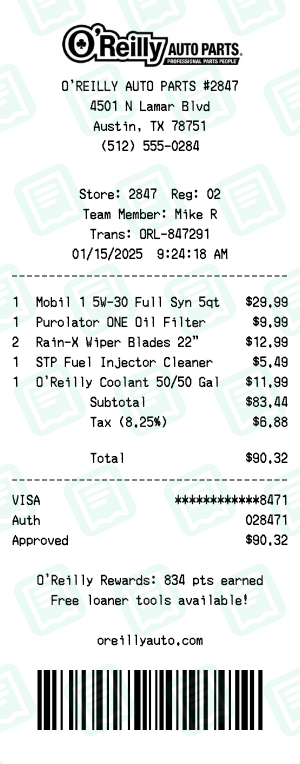
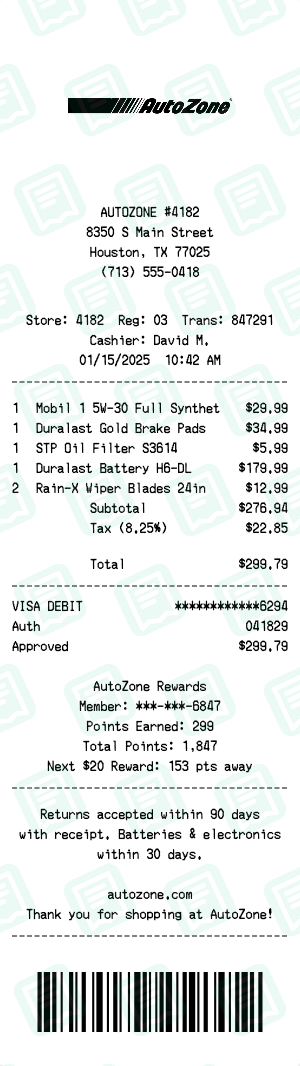
RetailAuto Parts Store Receipt. The AutoZone receipt maker loads a layout that mirrors a real AutoZone retail store receipt — same fields, same fonts, same totals — so you can fill it out in under a minute and download a print-ready file.
Free online AutoZone receipt maker. Create authentic auto parts store receipts with motor oil, brake pads, batteries, filters, and car accessories. Customize store location, items, prices, and rewards points. Export high-quality PNG or PDF. NOT affiliated with AutoZone. For personal use only.
People use the AutoZone receipt maker for returns, exchanges, and warranty claims when the original receipt is lost, expense tracking for self-employed and small-business buyers, and to keep clean records of cash purchases. Common search variants we cover include “autozone receipt”, “autozone receipt generator”, “autozone receipt maker”.
Other retail receipt makers: O'Reilly Auto Parts receipt maker, Target receipt maker, Costco receipt maker, Pawn Shop receipt maker, Dollar Tree receipt maker, Home Depot receipt maker.
How to Create a AutoZone Receipt
Follow these simple steps to generate your receipt in seconds
Open the retail receipt maker
Click "Create AutoZone Receipt" to open the editor with the AutoZone retail layout — store number, register, and SKU columns ready.
Set store and transaction info
Enter the AutoZone store address, store number, register, cashier, and the date/time of the visit.
Add items with SKU and price
For each item, fill in the description, optional SKU/UPC, quantity, and unit price. Subtotals and tax recalculate live.
Set payment and change
Choose cash, debit, or credit. For cards, set the card type, last-4, approval code, and reference number to match your records.
Download in retail format
Export your AutoZone receipt as PNG or PDF, sized to match a real AutoZone thermal printout.
AutoZone Receipt FAQs
Common questions about the AutoZone receipt maker
Is this an official AutoZone receipt generator?
No. NOT affiliated with AutoZone, Inc. This is an independent tool for personal use only.
Can I add different auto parts to the receipt?
Yes. Add motor oil, brake pads, batteries, filters, wiper blades, and any other auto parts. Customize names and prices.
Can I customize the store location?
Yes. Change the store number, address, city, state, and phone number to any AutoZone location.
Is the AutoZone receipt template free?
Yes. Creating and downloading is completely free. Premium features like watermark removal require a subscription.
What export formats are available?
PNG or PDF. Both suitable for expense reports, records, or reimbursement.
Does it work on mobile?
Yes. Works in any modern browser on phone, tablet, or desktop.
Who is responsible for how the receipt is used?
Users are responsible. For legitimate personal use only — expense tracking, records, documentation.
More Retail Receipt Makers
Other retail brands you can generate a receipt for