Free Lyft Receipt Maker
RideshareGenerate realistic Lyft ride receipts. The Lyft receipt maker loads a layout that mirrors a real Lyft rideshare service receipt — same fields, same fonts, same totals — so you can fill it out in under a minute and download a print-ready file.
Free online Lyft receipt maker. Generate authentic-looking rideshare receipts with trip details, fare breakdown, driver info, and payment information. Customize pickup/dropoff locations, distance, duration, and tip amount. Export high-quality PNG or PDF for expense tracking, reimbursement, or documentation. NOT affiliated with Lyft, Inc. For personal use only.
People use the Lyft receipt maker for business travel reimbursement and per-trip expense reports, replacing a lost rideshare receipt for a client invoice, and to keep clean records of cash purchases. Common search variants we cover include “lyft receipt generator”, “lyft receipt template”, “lyft ride receipt”.
Other rideshare receipt makers: Uber receipt maker.
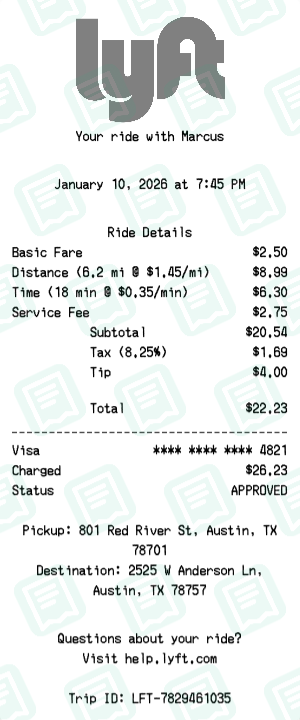
Lyft Receipt Examples
Real lyft receipts created with our receipt maker
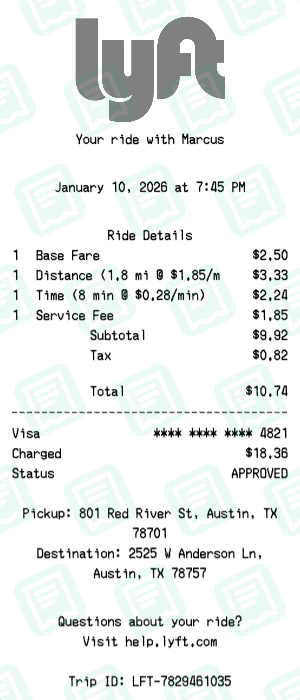
Lyft Receipt with Base Fare, Distance (1.8 mi @ $1.85/mi), Time (8 min @ $0.28/min) totaling $11
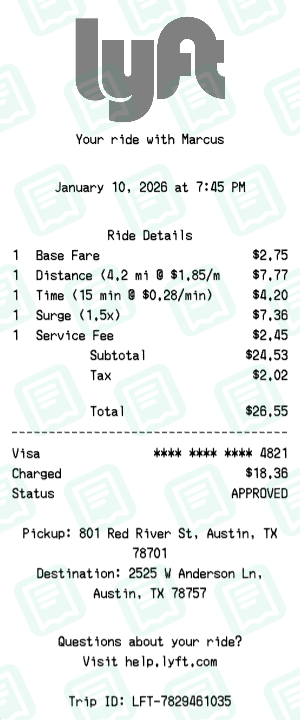
Lyft Receipt with Base Fare, Distance (4.2 mi @ $1.85/mi), Time (15 min @ $0.28/min) totaling $27
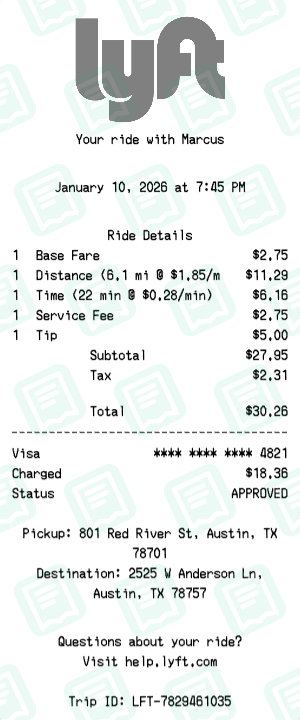
Lyft Receipt with Base Fare, Distance (6.1 mi @ $1.85/mi), Time (22 min @ $0.28/min) totaling $30
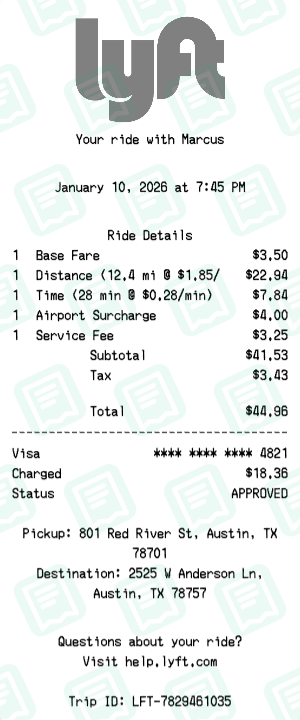
Lyft Receipt with Base Fare, Distance (12.4 mi @ $1.85/mi), Time (28 min @ $0.28/min) totaling $45
How to Create a Lyft Receipt
Follow these simple steps to generate your receipt in seconds
Open the rideshare receipt maker
Click "Create Lyft Receipt" to load the Lyft layout with pickup, drop-off, distance, time, and surge fields.
Set trip details
Enter pickup and drop-off addresses, trip date and time, distance, and trip duration. Driver name and license plate are optional fields.
Set fare breakdown
Add base fare, per-minute, per-mile, and surge multiplier. Tolls and booking fees go in their own line items.
Add tip and total
Add the driver tip — most rideshare receipts list it on a separate row below the trip subtotal.
Download for expense submission
Export your Lyft receipt as PDF for direct submission into Concur, Expensify, or your reimbursement system.
Lyft Receipt FAQs
Common questions about the Lyft receipt maker
How do I create a Lyft receipt?
Simply customize the template with your trip details including pickup/dropoff locations, fare breakdown, and payment information. Then download as PNG or PDF.
Can I add my driver's name to the receipt?
Yes, you can customize all trip details including the driver's name, vehicle information, and trip route.
What fare components can I include?
You can add base fare, distance charges, time charges, service fees, tolls, surge pricing, and tip amounts.
Is this affiliated with Lyft?
No, this tool is NOT affiliated with Lyft, Inc. It is an independent receipt generator for personal documentation purposes only.
Can I customize the pickup and dropoff locations?
Yes, you can enter any addresses for pickup and dropoff locations, as well as customize distance and duration.
What payment methods can I show?
You can display card payments with masked card numbers, or other payment methods like PayPal or Lyft credits.
Can I add a tip to the receipt?
Yes, you can add a tip amount as a separate line item in the fare breakdown.
Is this receipt valid for expense reports?
This is for personal documentation only. For official expense reports, always use receipts directly from the Lyft app.
Can I create receipts for Lyft XL or Lux rides?
Yes, you can customize the receipt to reflect any Lyft ride type by adjusting the fare components accordingly.
What formats can I download?
You can download your Lyft receipt as a high-quality PNG image or PDF document.
Can I include the trip route map?
The current template focuses on text-based receipt details. For visual route maps, refer to the official Lyft app.
How do I add surge pricing?
You can add a 'Prime Time' or 'Surge' line item in the fare breakdown section with your desired multiplier amount.