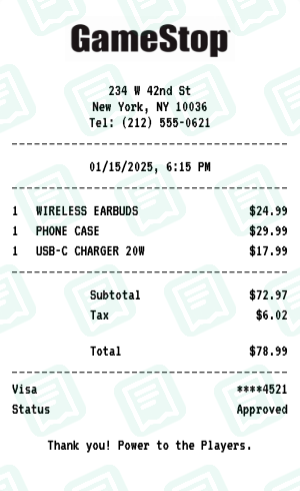
Gamestop Receipt with WIRELESS EARBUDS, PHONE CASE, USB-C CHARGER…
RetailGameStop receipt - Tech accessories & gadgets
An electronics department purchase featuring phone accessories and tech gadgets like cases, chargers, and earbuds.
Gamestop Receipt FAQs
Common questions about this Gamestop receipt example
What does this Gamestop receipt example show?
This example is "GameStop Receipt Example - Electronics Purchase" — gamestop receipt - tech accessories & gadgets. It comes pre-filled with realistic retail items, prices, and totals so you can see exactly what a Gamestop receipt looks like before customizing your own.
Can I edit this Gamestop receipt example or do I have to start from scratch?
You can edit it. Hit "Use This Example" and the Gamestop receipt maker opens with every field — store name, address, items, prices, tax, payment, date — already populated. Change just what you need and download the result as PNG or PDF.
Can I include SKU or UPC numbers on the Gamestop receipt?
Yes. Each item line on the Gamestop layout has an optional SKU/UPC field that prints below the item name, just like a real store receipt.
Can I add a return-policy footer?
Yes. The custom-message section at the bottom of the receipt can hold the brand's return-policy text, store hours, or a survey link.
Does the Gamestop receipt include a barcode?
Yes. A scannable-looking barcode is added by default; you can hide it or replace it with a QR code.
Can I print a receipt for an item I returned?
Yes. Add the item with a negative quantity or use the "refund" line type. The total goes negative and the receipt is labeled REFUND.
More Gamestop Receipt Examples
Explore other Gamestop receipts you can customize